AnyDesk vs TeamViewer: Which Suits a Small Business?
AnyDesk or TeamViewer for your Irish small business? Compare speed, cost, licensing, security and support fit, plus what to check before you pay.

For most sole traders and small businesses, AnyDesk is the lighter, faster and usually cheaper choice, and TeamViewer is the broader, pricier one with more management features. Neither is the right answer for everyone. The right pick depends on how many people connect at once, how many devices you look after, and how much admin you want to carry.
This guide compares the two on the points that matter when you run a business: licensing, cost, speed, security and day-to-day practicality. It also covers a third route, self-hosting, and the mistakes we see small businesses make with remote access tools. It is written for owners and office managers, not for home users.
TL;DR
- AnyDesk is known for being lightweight and quick, including on slower connections. It suits small teams who mainly need fast access to a handful of machines.
- TeamViewer is a bigger ecosystem with deeper IT management features and integrations. It often costs more and can be more than a sole trader needs.
- Both free versions are for personal use only. Using them for business can get your sessions limited or blocked, so budget for a paid plan.
- Both have had security incidents. Whichever you choose, turn on multi-factor authentication and restrict who can connect.
- Check licensing before you buy: concurrent connections, named users and device limits change the real price more than the headline figure.
Table of Contents
- What each tool is for
- AnyDesk vs TeamViewer at a glance
- Cost and licensing: where small businesses get caught
- Free versions and the commercial-use problem
- Speed and day-to-day use
- Security: what happened and what to do
- Which should you choose?
- The self-hosted option: RustDesk
- Questions to settle before you buy
- Our view: pick the tool to fit the scope
- Help setting this up in Galway and Mayo
- FAQ
- Sources
What each tool is for
Both products let one person see and control another computer over the internet. You use them to fix a problem on a staff laptop, reach your office PC from home, or help a customer without travelling.
AnyDesk is made by AnyDesk Software GmbH. Practitioner comparisons usually describe it as lightweight, with snappy performance even on slower internet connections. That matters in rural parts of Galway and Mayo, where broadband quality can vary a lot from one townland to the next.
TeamViewer is made by TeamViewer SE. The same comparison describes it as a broader, feature-rich platform with advanced IT management tools, augmented reality support and integrations with products such as Salesforce and Microsoft Teams. If you manage dozens of devices or several technicians, that breadth is useful. If you are one person with a laptop and a desktop, most of it will sit unused.
AnyDesk vs TeamViewer at a glance
| Point | AnyDesk | TeamViewer |
|---|---|---|
| Best known for | Speed and a small footprint | Breadth of features and integrations |
| Typical fit | Sole traders, small teams, quick support sessions | Larger teams, IT departments, managed environments |
| Entry-level business price (approx., billed annually) | Roughly $23 to $32 a month | Roughly $24.90 to $50.90 a month |
| Free version | Personal, non-commercial use only | Personal, non-commercial use only |
| Extra features | Lighter set | Deeper IT management, AR support, integrations |
| Certifications | Reported to lack SOC 2 Type 2 and ISO 27001 | Reported to hold SOC 2 Type 2 and ISO 27001 |
| Learning curve | Short | Longer, more menus |
Prices in the table are approximate US dollar figures from one 2026 comparison. Other sites quote different figures, and vendors change plans often. Treat them as a guide to the gap between the two, then check the vendor’s own pricing page for your country before you commit. Certification details come from the same practitioner comparison and are worth confirming with each vendor if your customers ask about them.
Cost and licensing: where small businesses get caught
The monthly price on a website is rarely the price you pay. Both companies have moved to annual subscriptions, and what you actually get depends on the licence model.
Three things change the bill:
- Concurrent connections. This is how many sessions can run at the same moment. A sole trader usually needs one. A business with two people supporting staff or customers may need two.
- Named users. Some plans license specific people. If a second person needs access, that can mean another licence.
- Managed devices. Plans can cap how many machines you can save and connect to. Going over the cap can push you into a higher tier.
Practitioners point out that small businesses often struggle with this licensing complexity. A simple per-user price often becomes a maze of add-ons once you scale. The practical advice is to buy for what you need today, typically one or two concurrent connections, and not to pay for enterprise features such as mobile device management or advanced AI agents that a sole trader will rarely use.
One TeamViewer example: a 2026 review aimed at managed service providers lists an entry plan at around $24.90 a month, billed annually, for one user and one concurrent session. It says that plan suits personal or single-machine access, not real support work. The business tier above it costs noticeably more. If you read plan names quickly, you can easily buy the cheap one and find it does not do the job.
A worked example (fictional)
Take an imaginary two-person accountancy practice in Tuam. One partner works from the office. The other works from home two days a week and sometimes needs to fix a problem on the office PC while the first is out.
- They need to reach perhaps four machines.
- Only one person connects at a time, so one concurrent connection is enough.
- Nobody needs AR support or ticketing.
A lower-tier business plan on either product could cover this. The cheaper plan on a more feature-heavy platform is not automatically better value. What matters is that the plan allows commercial use, covers the number of devices, and does not cap connections below what they need.
This example is invented to illustrate the reasoning. It is not a client story.
Free versions and the commercial-use problem
Both tools offer free plans, and both say they are for personal, non-commercial use. Both companies also enforce this. According to a 2026 comparison, detection is often automated, can be over-sensitive, and may flag legitimate small businesses.
The usual pattern looks like this. You use the free version to help a friend or relative a few times. A session is interrupted or limited, and you are told it looks like commercial use. You then have to complete a vendor form and wait for a manual review. One reviewer described being flagged after the third session and waiting about a week.
For a business, the lesson is simple:
- If you use a remote tool to work on anything connected to your business, pay for a business licence.
- Do not run your business on a free plan and hope it goes unnoticed. A blocked session at the wrong moment costs more than a year of subscription.
- Keep a second, verified way in. If your main tool locks you out, you need another route to your machines or to your IT support.
Speed and day-to-day use
Speed is where AnyDesk’s reputation is strongest. Reviewers and forum users describe it as quick to launch, light on resources and responsive for interactive work. One forum discussion compares AnyDesk to a small, fast coupe and TeamViewer to a larger, heavier luxury car. That is an opinion, not a measurement, but it matches the general view.
TeamViewer is not slow. It simply does more, so it has more to load, more menus and more settings. For a technician managing many devices, that structure helps. For an office manager who wants to click one thing and connect, it can feel like too much.
Some questions to ask yourself:
- Is your internet connection patchy? AnyDesk’s lighter footprint is a point in its favour.
- Do you need one-off sessions with customers? Both offer ways to connect without a full install. Test the experience from a customer’s side, not just yours.
- Do you work from a phone or tablet? Check the mobile apps on the devices you actually own before paying.
- Do you need file transfer, unattended access or printing? Check that your plan includes them. Features vary by tier.
Security: what happened and what to do
Both vendors have had incidents, and it is fair to describe them accurately.
- In June 2024, TeamViewer’s corporate IT network was accessed by a state-sponsored actor known as APT29. According to the comparison we used, investigations found that the product platform and customer data were segmented and unaffected.
- In February 2024, AnyDesk had a separate breach that compromised user credentials, according to the same source.
These events do not point to one tool being safe and the other unsafe. They show that a remote access tool is a valuable target. If someone gets into your account, they may get into every machine on it.
Whatever you choose, do the following:
- Turn on two-factor or multi-factor authentication on the remote tool account, not just on your email.
- Use a strong, unique password held in a password manager. Our guide to password managers for small businesses covers how to choose and roll one out.
- Restrict who can connect. Use allowlists where the tool supports them, and set unattended access passwords that are different from your Windows login.
- Do not reuse a personal account for client or business support.
- Remove access when people leave or when a contractor finishes a job.
- Keep the software updated on every machine it is installed on.
There is a second risk that has nothing to do with the vendors. Scammers regularly persuade people to install popular remote tools by phone, pretending to be a bank, a courier or a software company. Tell your staff plainly: nobody legitimate will ring you out of the blue and ask you to install a remote access tool. If your team is unsure, they should hang up and ask you first.
If you are also looking at wider device controls, our MDM planning guide for small businesses explains how to roll out device management safely. Our small business firewall checklist covers the network side.
Which should you choose?
Use these criteria rather than brand names.
AnyDesk is usually the better fit if:
- you are a sole trader or a very small team
- you mostly need quick, responsive access to a few machines
- your internet connection is not always strong
- you want a simpler tool and a lower entry price
TeamViewer is usually the better fit if:
- you manage a larger or growing estate of devices
- several people provide support and need role-based control
- you want integrations with other business software
- certifications such as SOC 2 Type 2 and ISO 27001 matter to your customers or insurers, and you have confirmed them with the vendor
Neither is the right fit if:
- you only need access a few times a year, in which case a built-in option may be enough
- you want full control of your data and have the skills to run it, in which case self-hosting is worth a look
- you already pay for a Microsoft 365 or Google Workspace plan that covers part of what you need, so check what is included before buying another subscription
If you cannot decide between the two, run a short trial on a paid plan or trial period, with the actual machines and connection you use. Test one real task, such as connecting to the office PC from home on a normal evening. That tells you more than a comparison table can.
The self-hosted option: RustDesk
Search results for this topic often bring up RustDesk, an open-source alternative. The appeal is control. You can run your own relay server, so sessions do not pass through a third-party cloud, and you avoid vendor licensing rules.
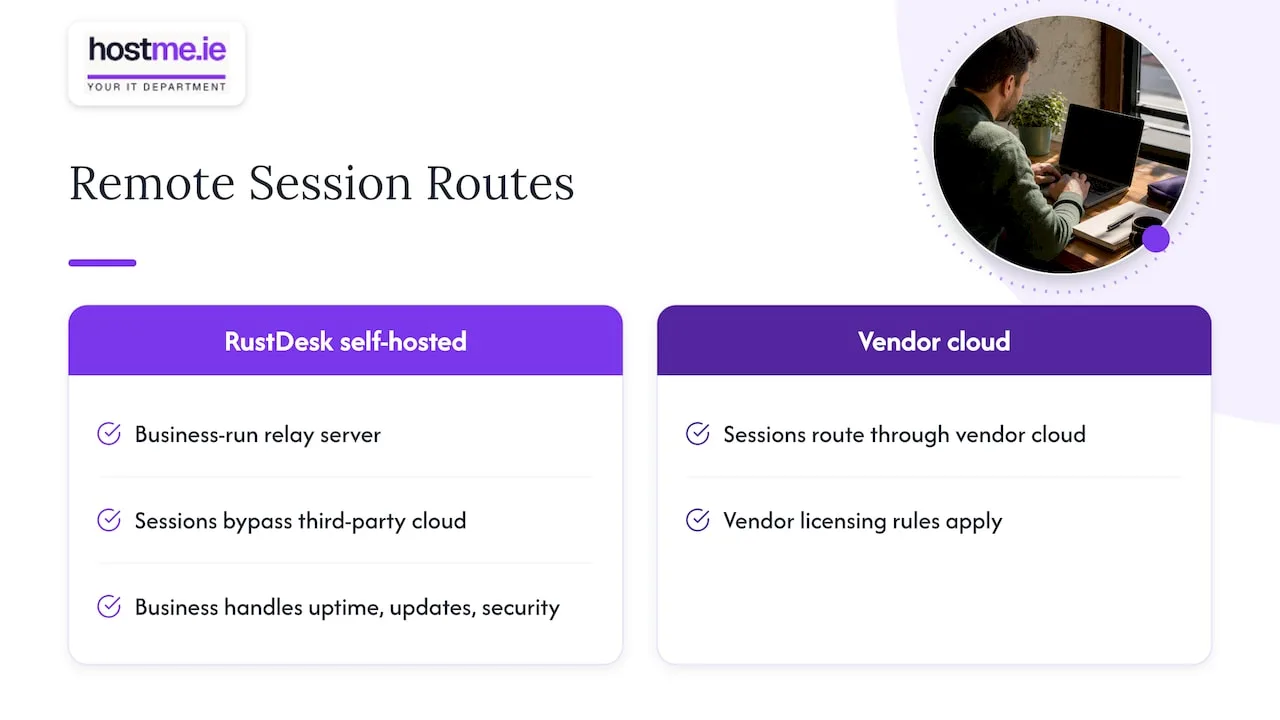
The cost is responsibility. Analysts note that self-hosting puts the full burden of security and maintenance on you. You are responsible for uptime, updates and securing the server. For most sole traders, that is a poor trade. It makes sense only when you or your IT partner are prepared to manage the infrastructure and keep it patched.
So, a fair summary: RustDesk can be a good choice for a business with someone technical to look after it, and a bad one for a business without.
Questions to settle before you buy
Write down answers to these before you open a pricing page.
- How many machines do I need to reach, now and in a year?
- How many people need to connect, and will two ever connect at the same time?
- Do I need unattended access, or only sessions where someone is at the other end?
- Who will be responsible for turning on MFA and removing old access?
- What is my backup way in if the tool locks me out?
- Does the plan clearly allow commercial use?
- What does it cost after the first year, and how do I cancel?
If you cannot answer two or three of these, that is the point to ask for help, not after you have paid.
Our view: pick the tool to fit the scope
We are hostme.ie, one person to contact for practical business IT help. Remote access is one of those jobs that looks small and then causes trouble when it is set up in a hurry.
Our view is simple. The most common mistake is buying more tool than the business needs, or less licence than it needs. A sole trader on a premium enterprise plan is overspending. A business running on a free plan is taking a risk. Both come from skipping a short conversation about what the business actually does.
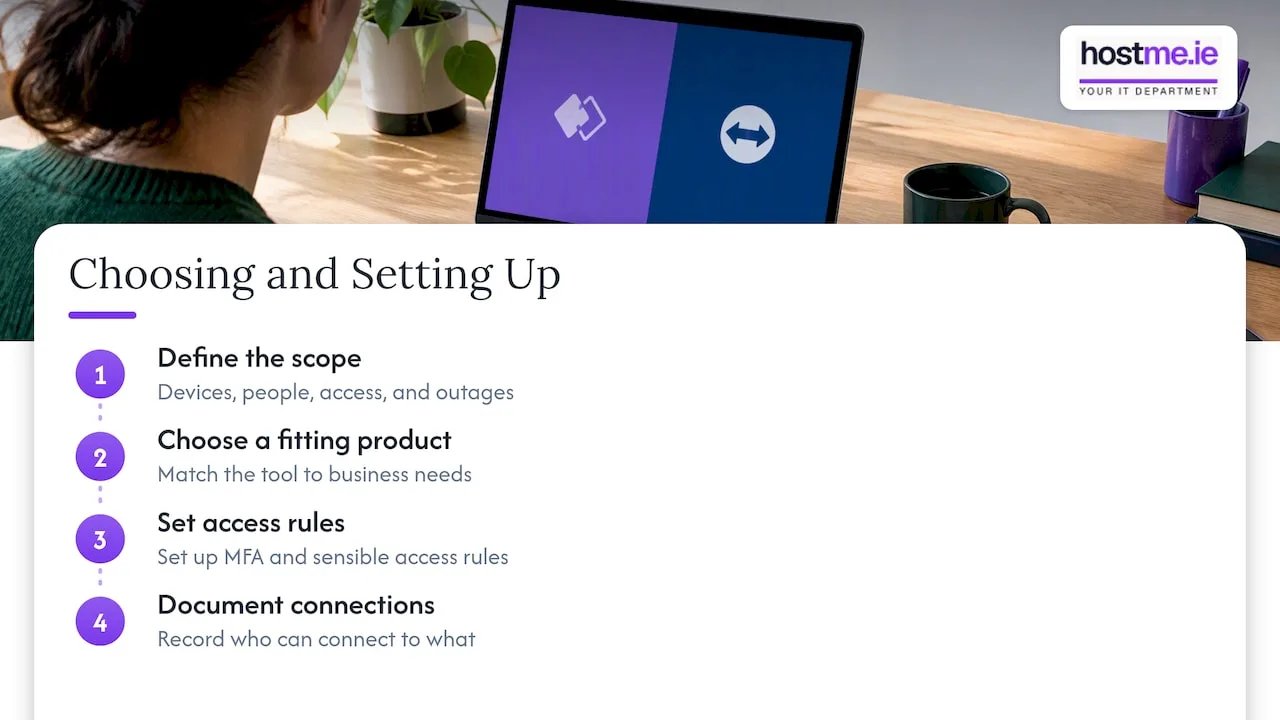
We would start with scope: which devices, which people, what level of access, and what happens if the tool is unavailable. Then we would choose a product that fits, set up MFA and sensible access rules, and write down who can connect to what. We agree scope before work begins, and we work remotely, with on-site visits where agreed.
We also think remote access should sit alongside the basics. That means reliable backups, a password manager, a firewall, and patched devices. A good remote tool does not fix a weak foundation. If your backups are not tested, that deserves attention before you compare remote desktop brands.
— hostme.ie
Help setting this up in Galway and Mayo
If you would rather not compare licence tiers yourself, we can scope what you need and set it up. That covers choosing the tool, enabling MFA, restricting access and documenting the setup, so you know who can reach what. Ad-hoc help and separately scoped projects are available. Managed support has an initial 12-month term, and we agree scope, cost and contract terms before any work starts.
See our IT support service for what we cover. If you are local, we also have pages for businesses in Tuam, Claremorris, Athenry and Claregalway.
The quickest way to start is a message to hostme.ie on WhatsApp. Phone and email are there if you prefer them. We do not promise response times, but your message goes to the one person who will do the work.
FAQ
Is AnyDesk or TeamViewer better for a small business?
For a sole trader or small team, AnyDesk is often the better value because it is lighter and its entry price is generally lower. TeamViewer makes more sense when you manage many devices or need deeper management features and integrations. Check the licence limits on connections and devices before you decide.
Is AnyDesk free for business use?
No. The free versions of both AnyDesk and TeamViewer are intended for personal, non-commercial use. Both companies use automated detection that can limit sessions it suspects are for business. If you use remote access for work, plan for a paid business licence.
Can someone access my PC through AnyDesk or TeamViewer without my knowledge?
Only if they have your access details, or you let them in. Scammers often talk people into installing these tools and reading out a code. Never install remote software at the request of a caller, use strong unique passwords with MFA, and set unattended access carefully so only people you trust can connect.
Is there anything better than AnyDesk or TeamViewer?
It depends on what you need. Open-source RustDesk gives you control of your own data, but you must maintain the server. For many small businesses, the better answer is the tool that fits your size, is properly secured and has a backup way in, rather than a different brand.
Should I use the same remote tool for staff and customers?
It is simpler, but keep accounts separate. Do not reuse personal accounts for business support, and make sure each person who connects has their own login where the plan allows it. Remove access promptly when someone leaves or a job ends.
Sources
- TeamViewer vs AnyDesk 2026: Full Comparison, sobrii
- AnyDesk Alternatives 2026: 7 Tested Replacements, sobrii
- TeamViewer Review for MSPs: Pricing and Fit, Flamingo
- 8 Best Remote Desktop Software in 2026, SoftPicker
- Which remote desktop software works best for IT support?, Mepis Forum