Zapier vs Make: Which Suits a Small Irish Business?
Zapier, Make or Power Automate? A plain comparison of pricing, ease of use and fit for Irish sole traders and small businesses, with a simple way to choose.

Pick Zapier if you want working automations quickly, with little setup and the widest choice of apps. Pick Make if your workflows have branches, loops or lots of data handling, and you are happy to spend time learning a visual builder. If your business already runs on Microsoft 365 or Dynamics 365, look at Power Automate first, because part of it may already be paid for.
That is the short version. The rest of this guide explains how the three tools differ in practice, what each costs to run, and how to choose without wasting a month on the wrong one. It is written for sole traders and small businesses, not for developers.
TL;DR
- Zapier is the easiest start and has the biggest app library (9,000+ integrations). It can get expensive as volume grows.
- Make gives you a visual canvas and more control for complex flows, and is often cheaper at high volume. It takes longer to learn.
- Power Automate is the natural choice if you live in Microsoft 365 or Dynamics 365. Standard connectors are included in many Microsoft 365 business plans.
- Prices below are in US dollars as published by each vendor, and Irish VAT may apply on top. Check the current price before you commit.
- Start with one repetitive task, test it for a few weeks, then decide whether to build more.
Table of Contents
- What these tools actually do
- Zapier vs Make at a glance
- Ease of use: Zapier wins the first week
- Pricing: the part that surprises people
- Reliability and integrations
- Zapier vs Power Automate
- What about Integromat?
- How to choose: five questions
- Before you build anything
- Our perspective
- Getting help choosing and setting up
- FAQ
- Sources
What these tools actually do
All three connect your business apps so one thing triggers another. A new enquiry arrives through your website form, a row is added to a spreadsheet, a customer record is created, and you get a message. You build it once and it runs without you.
The basic ideas are the same everywhere:
- Trigger: the event that starts the automation, such as a new email or a paid invoice.
- Action: what happens next, such as creating a task or sending a message.
- Workflow: the full chain. Zapier calls it a Zap, Make calls it a scenario, Power Automate calls it a flow.
For a small business the value is simple: fewer copy-and-paste jobs, fewer missed follow-ups, fewer errors. The risk is also simple: an automation that is built badly, or that nobody understands, can quietly send the wrong thing to customers for weeks.
Zapier vs Make at a glance
| Zapier | Make | |
|---|---|---|
| Style | Step-by-step list, no code | Visual canvas, low code |
| Learning curve | Gentle | Steeper |
| App library | 9,000+ integrations | 3,500+ integrations |
| Billing unit | Tasks (completed actions) | Credits (each module run) |
| Free plan | 100 tasks a month | 1,000 credits a month |
| Entry paid plan | From $19.99 a month, billed annually | From $9 a month, billed annually |
| Best for | Simple, routine automations | Complex, branching, high-volume flows |
The figures come from G2’s side-by-side review and the vendors’ own pages, and plans change often. Treat the table as a guide to the shape of the pricing, not a quote.
Ease of use: Zapier wins the first week
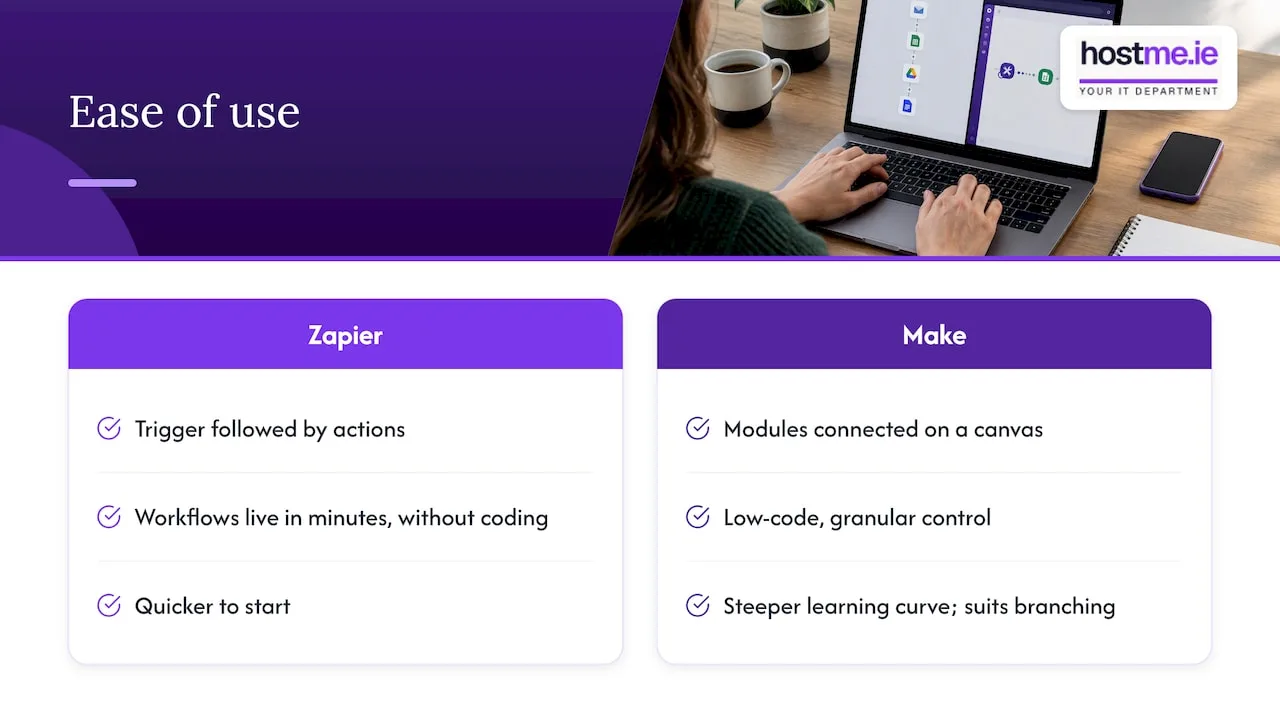
Zapier works as a straight line. You pick a trigger, add actions underneath it and switch it on. Industry reviewers regularly describe it as the go-to for sole traders and small business owners who want workflows live in minutes without coding. If you have never automated anything, this is where confidence builds fastest.
Make works like a flowchart. You drag modules onto a canvas and connect them. G2’s comparison describes it as a low-code platform with granular control, and that comes with a steeper learning curve. The canvas helps when a workflow splits in several directions, because you can see the whole thing at once. It is harder to pick up if you only have an hour.
Make’s own comparison argues that Zapier’s more rigid structure can feel limiting once your needs grow. That is a vendor view, but it matches what most independent reviewers say: Zapier is quicker to start, Make is roomier once you are comfortable.
A practical rule: if the person who will maintain the automation is you, and you are not technical, start with the tool you will still understand in six months.
Pricing: the part that surprises people
The monthly headline price is the least useful number. What matters is how each tool counts usage, because that decides your bill once you automate more than a couple of things.
How Zapier counts
Zapier bills on completed tasks. According to Zapier’s own plan update, built-in steps such as Filter, Formatter and Paths no longer count towards task usage as of May 2026, and you can opt in to pay-per-task billing at 1.25 times the standard rate if you pass your plan limit. Zapier also says its comparison page that it does not charge for triggers, filters, tests or errors. That is the vendor’s claim, so check it against your own plan when you sign up.
How Make counts
Make uses credits. Make’s pricing page shows the Core plan at $9 a month on annual billing for 10,000 credits. Each module that runs in a scenario typically uses at least one credit, so a scenario with eight steps uses roughly eight credits per run. Loops and AI-heavy modules can use more.
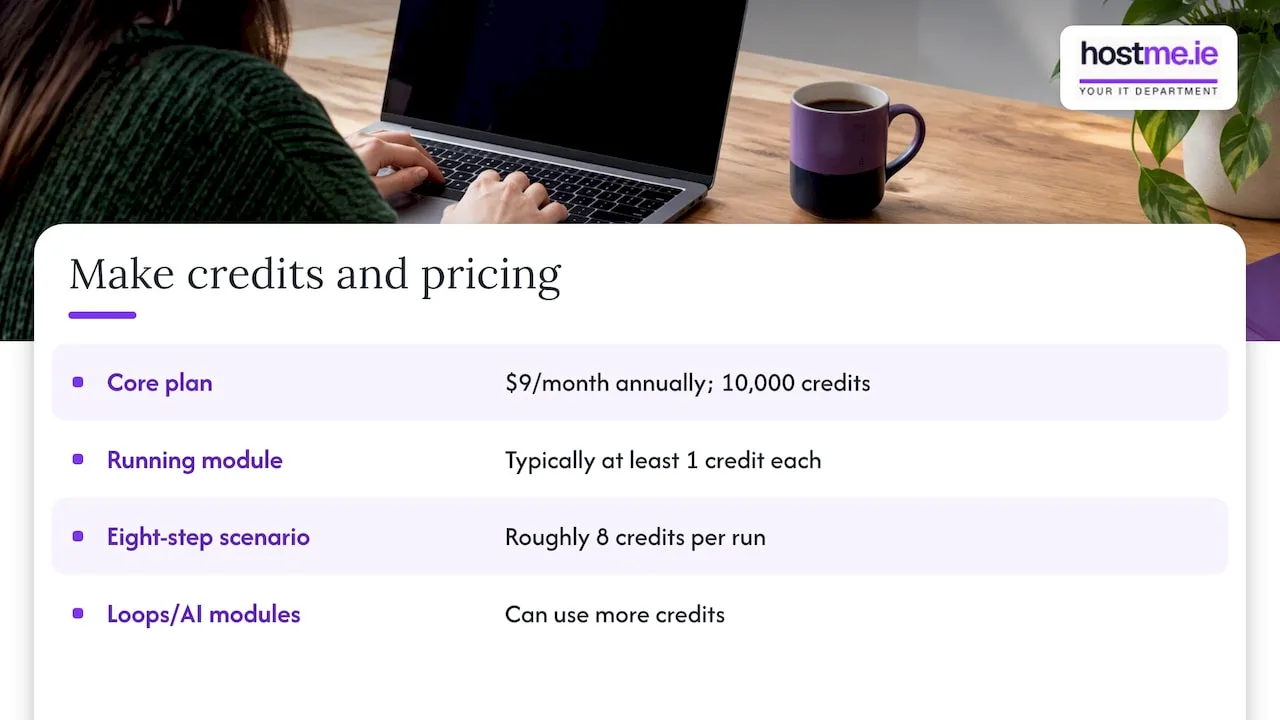
That is why Make is often cheaper for high-volume work, but also why a careless scenario can burn through credits. Building so that Make handles records in bulk rather than one at a time makes a real difference.
A worked example (fictional)
Take an imaginary plumbing firm in Tuam that gets 200 website enquiries a month. Each enquiry should create a job card, add a row to a spreadsheet and send a confirmation email. That is three actions per enquiry, or roughly 600 actions a month.
- In Zapier, that fits comfortably in a mid-level paid plan, and a free plan would not cover it at 100 tasks.
- In Make, 600 or so credits fits inside the free plan’s 1,000 credits, though a few extra steps per enquiry would push it past.
This is an illustration, not a client case, and the numbers are only as good as your own step count. Count your steps before you compare prices.
Reliability and integrations
Zapier’s library is the largest, at 9,000+ integrations against Make’s 3,500+. If you use an unusual Irish accounting package or a niche booking tool, check that it has a ready connector before you pick. A missing connector means custom API work, and that cancels the savings.
Zapier’s own material suggests its larger set of maintained integrations makes it more dependable for plug-and-play use, while Make relies more on community-maintained modules in some cases. Zapier says so on its comparison page, and since Zapier is a competitor of Make, read that as a point of view rather than a test result. For anything critical, such as invoicing or customer notifications, test thoroughly in either tool and add an alert for failures.
Zapier vs Power Automate
Many Irish small businesses already pay for Microsoft 365, and that changes the question. Power Automate is Microsoft’s own automation tool. It is included with most Microsoft 365 business plans, but only for standard connectors. Premium connectors, desktop robotic automation and AI Builder need a paid plan, listed there at about $15 per user a month with annual billing.
In practice:
| Situation | Likely best fit |
|---|---|
| Work mostly in Outlook, Teams, SharePoint, Excel | Power Automate |
| Use Dynamics 365 Sales Hub or Customer Service Hub | Power Automate, at least for Microsoft-side steps |
| Mix of many non-Microsoft web apps (Stripe, Mailchimp, Typeform and so on) | Zapier or Make |
| Want to be live this afternoon with no training | Zapier |
| Complex branching with many apps | Make |
Power Automate is not as friendly as Zapier for a first-timer, and its licensing can confuse. It does have a real advantage if your data sits in Microsoft products: fewer logins, fewer connectors to pay for, and permissions that follow your Microsoft accounts. If you are weighing it against a Gmail setup, our guide to Gmail vs Outlook for small businesses covers the wider email decision.
What about Integromat?
Integromat is the old name for Make. The product was renamed, so a search for Zapier vs Integromat leads to the same comparison. Older reviews under the Integromat name may quote pricing that no longer applies, particularly because Make moved to a credit-based model in November 2025, as Make’s comparison page notes. Always check the date on a review.
How to choose: five questions
- Who will maintain it? If it is you or an office manager with no technical background, lean Zapier. If someone enjoys building, Make is fine.
- How many steps does each workflow have? Under five or six, Zapier is usually fine. Many steps, loops or branches favour Make.
- How many runs a month? Low volume suits any free or entry plan. High volume is where Make’s credits can save money, as long as you build carefully.
- Where does your data live? Mostly Microsoft: try Power Automate first.
- What happens if it fails? For anything that touches customers or money, pick the tool where failures are easiest for you to see and fix.
G2 frames it as your attitude to automation: if you just want a handful of chores handled, Zapier fits. If automation is going to be central to how the business runs, Make is likely the more scalable option. That is a sensible way to put it.
Before you build anything
Most automation projects go wrong before the tool is chosen. A few habits help.
- Pick one task. Choose something repeated weekly that has clear rules. Our guide on starting AI with one useful task uses the same approach, and so does testing automation before you scale.
- Write the steps on paper. If you cannot describe the process in plain words, a tool will not fix it.
- Use a business login, not a personal one. Tie the account to a business email address and keep the password in a business password manager, so the automation survives if someone leaves.
- Mind customer data. Every connected app is another place personal data passes through. Think about GDPR, and read each vendor’s data terms before sending customer details.
- Add a human check. For emails going to customers, have a draft or approval step until you trust the flow.
- Keep a record. Note what each automation does, who owns it and which apps it touches.
A good example of a repeatable process is staff joining a business. Our piece on onboarding automation, approvals and access shows how a short checklist turns into a flow you can build in any of these tools.
Our perspective
We are one person to contact for small business IT, so we see the practical end of this question. The most common problem is rarely the tool. It is that nobody wrote down what the automation should do, and nobody owns it afterwards.
We would also say this: do not choose a platform by feature count. Choose by who will look after it. A simple Zap that someone understands beats an elegant Make scenario that nobody dares open.
If your business already uses Microsoft 365, ask whether Power Automate covers the task before paying for a second subscription. If your work involves Dynamics 365 Sales Hub or Customer Service Hub, we can support day-to-day use, configuration and customisation of those two, and we can help you decide where an automation belongs. We do not claim support for every Dynamics product.
On AI, the same rule applies. We help with practical setup, staff training and sensible workflows using ChatGPT, Claude and Microsoft Copilot, and we scope the work before it starts. We make no promises about savings or results, because they depend on your processes.
— hostme.ie
Getting help choosing and setting up
If you would rather not spend evenings comparing pricing tables, we can help you pick a tool, map the workflow and set it up with the access and security that go with it. Scope and cost are agreed before work begins. Ad-hoc help and separately scoped projects are available, and managed support carries an initial 12-month term, so we agree the details first.
See our AI for business service for how that works, or the wider IT, AI and Dynamics 365 services if you are not sure where to start. Contact us on WhatsApp, and phone or email work too.
If your device, email or backups are not in good shape yet, fix those first. Automations are only as reliable as the accounts under them, and our small business technology setup guide covers the order we would work in.
FAQ
Is Make cheaper than Zapier?
Often, yes, especially at higher volumes. Make’s Core plan starts at $9 a month on annual billing, against $19.99 for Zapier’s Professional plan, according to G2. But Make charges per step, so a long scenario can cost more than it looks. Count your steps and runs first.
Is Zapier or Make better for a complete beginner?
Zapier is usually the easier first tool, with a simple linear builder and a very large app library. Make rewards the time you invest, particularly for branching logic. If you only want a few simple automations running, start with Zapier.
Should I use Power Automate instead of Zapier?
If your work happens mainly in Microsoft 365 or Dynamics 365, try Power Automate first, because standard connectors are included with many business plans. If you rely on many non-Microsoft apps, Zapier or Make will usually connect them more easily. Check your own Microsoft licence before deciding.
Is Integromat the same as Make?
Yes. Integromat was renamed Make. Reviews that still use the old name may be out of date, especially on pricing, so check the date before relying on one.
Can I switch later if I pick the wrong one?
Yes, but workflows do not transfer automatically. You rebuild them in the new tool. That is a good reason to keep your automations documented and to start small.
Sources
- Make vs. Zapier: I Dragged and Zapped Until One Won Me Over (G2)
- We’re making some big improvements to Zapier plans (Zapier Help)
- Zapier vs. Make (Integromat): Pricing and Reliability (Zapier)
- Pricing and Subscription Packages (Make)
- Make vs Zapier: How Are We Different? (Make)
- Make vs Zapier in 2026: Compare features and pricing (Make)
- Make vs Zapier: Which One Wins in 2026? (Cloudwards)
- Is Power Automate Free? Free vs Premium (Superblocks)