Password Managers for Small Businesses
Compare password manager options for small businesses in Ireland. Check access controls, MFA, recovery and staff offboarding before a careful, phased rollout.

Start by checking who controls your business accounts and how access is recovered. A business password manager can help store credentials, but your team also needs individual accounts, appropriate multi-factor authentication (MFA) and a tested recovery process. Compare administration, access permissions and audit features in the actual product and licence you are considering.
TL;DR:
- A team needs clear account ownership, individual sign-ins and access reviews; check whether a vault provides the administration and reporting you need.
- Choose app based MFA at minimum and FIDO2 or WebAuthn keys for sensitive administrators; avoid SMS codes when stronger options are available.
- Pilot with two or three team members before committing; test administrator roles, MFA, recovery, access removal and audit logging.
- Allow time for credential clean-up. Replace weak, reused or compromised passwords, and verify the migration before retiring old copies.
Table of Contents
- Shortlist of solution categories for small businesses
- What to look for when comparing password managers
- Step-by-step rollout checklist for small teams
- How Irish security guidance shapes your decision
- How hostme.ie can help you implement password management
- Practical rollout checks and when to get help
- Get help setting up password security for your business
- FAQ
- Sources
Shortlist of solution categories for small businesses
Four approaches can help frame a shortlist. They overlap: a hosted or self-hosted vault may support single sign-on, and an IT provider can help administer either. Compare the specific product rather than treating these as four competing product rankings.
- Self-hosted vaults: your organisation takes responsibility for the hosting, updates, backups and recovery. Check the software licence, supported features and where all copies of the data will be held.
- Cloud-hosted business vaults: the vendor operates the service. Your business still needs to configure access, MFA, recovery and staff training.
- Single sign-on integration: some vaults can connect to an identity service such as Microsoft Entra ID. Confirm plan requirements, the authentication design and recovery when the identity service is unavailable.
- Help from an IT provider: agree who handles setup, access reviews, recovery and ongoing administration, and what remains your responsibility. Confirm the software and service scope separately.
Pricing shapes follow the same pattern across these categories. Most cloud SaaS vaults charge per user per month, often with a cheaper annual commitment. Some bundle the password manager into a wider security suite, so you pay one seat price for several tools together. Managed services, where an IT provider sets up and administers the vault on your behalf, usually price the work separately from any software licence, covering setup, configuration and ongoing support as its own line item.
A sole trader and a ten-person office may need different administration features. Both need secure access and a recovery route. Ask each vendor to demonstrate the controls on your shortlist; self-hosted products may offer team features too.
What to look for when comparing password managers
Once you’ve narrowed down a category, the real differences show up in the feature list. Several of these matter far more for a business than for a personal account, because they determine how well you can control who sees what, and how quickly you can prove it afterwards.
Admin and delegation. Give each person their own account and only the access they need. Test how access is granted, changed and removed. Removing someone from a vault does not erase passwords they have already copied or end every session in another service; review those accounts separately when a role changes or someone leaves.
Encryption and architecture. Read the vendor’s security documentation rather than relying on a label such as zero-knowledge. Check encryption, key handling, recovery, exports and what administrators can access. Confirm how an authorised person would recover business access if the usual administrator were unavailable.
MFA support. Multi-factor authentication is not optional for a business account holding shared credentials. The NCSC’s MFA guide recommends app-based authenticators and phishing-resistant methods such as FIDO2 or WebAuthn security keys over SMS codes, which are easier to intercept. Check that your shortlisted vault supports at least app-based MFA, and ideally hardware keys for your most sensitive admin accounts.
Sharing and session controls. Prefer individual accounts in the underlying service. Where a legacy shared account remains, record the risk and plan its replacement; a shared vault does not make it an individual account. Check copy, reveal and export behaviour instead of assuming autofill keeps a password secret from an authorised user.
Audit and reporting. Check which events the product records, how long logs are kept and whether you can export them. A vault log may show access to an entry without proving what happened in the underlying business application. Logs support investigation; they do not establish compliance on their own.
Provisioning and integration. If you use Microsoft Entra ID, check whether your chosen vault and licence support single sign-on and SCIM provisioning. Test joining, role changes and leaving, including existing sessions and recovery. Do not assume the connector automates every step.
Compatibility. Confirm browser extensions, mobile apps and offline access work the way your team actually works, and check whether the vendor supports the device management policies you already use.
- Confirm the vendor publishes a clear data processing agreement suitable for GDPR purposes.
- Check whether pricing scales sensibly as you add seats, rather than jumping at an awkward threshold.
Trial checklist: Use a small pilot to test a normal user, an administrator and a recovery scenario. Record what works, what needs an extra licence and what still requires a manual step before committing.
Step-by-step rollout checklist for small teams
A password manager only earns its keep once your team actually uses it properly, and that depends on a sensible rollout rather than switching everyone over on day one.
- Take stock first. List where credentials currently live: spreadsheets, sticky notes, browser autofill, shared notes apps. Identify which accounts are privileged (banking, domain registrar, email admin) and decide who should own each one.
- Set up a small pilot. Configure limited administrator roles and MFA. Check password requirements against current guidance and your systems, and test recovery and audit records before rolling out broadly.
- Migrate credentials carefully. Follow the vendor’s import instructions. An exported CSV may contain readable passwords: keep it off shared folders and email, restrict access, and securely remove temporary copies after checking the import. Replace weak, reused, default or compromised credentials; do not rotate passwords merely because they are old.
- Put governance in writing. Document your movers and leavers process, decide who holds delegated admin rights, and put a recurring calendar reminder in place for access reviews.
- Train your team briefly. Cover account access, phishing, the approved way to use the vault and how to request help. Use fictional examples and keep the full policy available separately from a short practical session.
- Maintain it over time. Keep apps and extensions updated, review access and recovery arrangements, and check licence renewals. Follow the vendor’s supported backup and recovery process; protect any authorised exports as sensitive data.
Credential clean-up tends to be the part businesses underestimate. A rollout commonly uncovers forgotten shared accounts scattered across spreadsheets and sticky notes, so budget real time for this phase rather than treating it as a quick afternoon task.
How Irish security guidance shapes your decision
Use official guidance to inform your access policy and risk assessment. It is not a certification of a particular password manager.
- The Data Protection Commission’s data security guidance calls for risk-appropriate safeguards, individual access and regular access reviews. It says shared credentials should not be permitted and advises against arbitrary periodic password changes.
- The NCSC’s MFA guidance favours app-based authenticators and phishing-resistant methods like FIDO2 and WebAuthn, and recommends moving away from SMS-based codes where a stronger option exists.
Keep your access policy, responsibilities and recovery procedure documented and reviewed. Where a supplier processes personal data, check the applicable contract and data-protection obligations. Installing a vault alone does not make a business compliant; seek qualified advice for legal questions.
How hostme.ie can help you implement password management
Setting the policy is one thing. Making sure it works alongside your existing Microsoft 365 tenant, your backups and the devices your team actually uses is another. We provide hands-on IT support for Irish sole traders and small businesses, including integration with Microsoft 365, device troubleshooting and staff training sessions on the new workflow. We also handle business email setup and security configuration, both of which tie directly into how a password manager gets used day to day.
As a one-person IT service, you deal with one person throughout: we agree scope and cost before any work starts, and support is delivered remotely or on-site where that’s been agreed in advance.
Practical rollout checks and when to get help
Check for old supplier accounts, reused social-media passwords and duplicate spreadsheets during your pilot. Allow time to confirm account owners and remove access that is no longer needed.
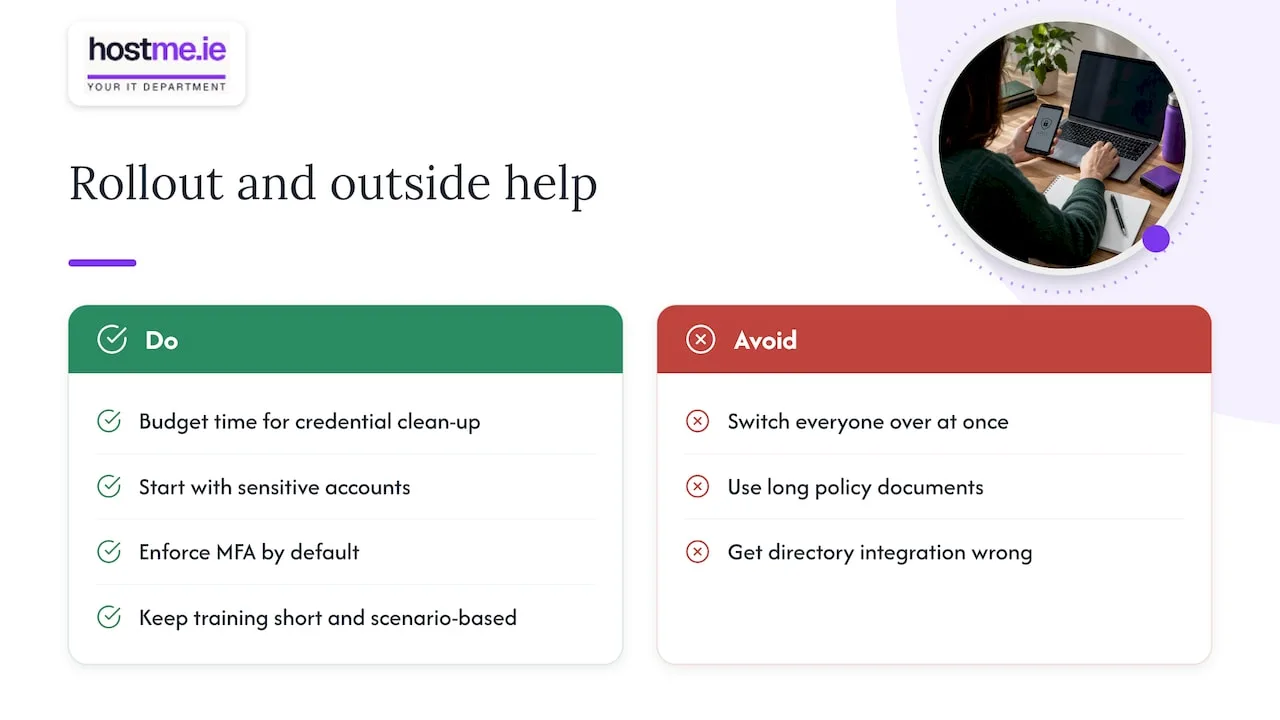
Phased adoption beats a big-bang switch. Start with your most sensitive accounts, enforce MFA as a default rather than an opt-in, and keep training sessions short and scenario-based rather than a long policy document nobody reads.
If your business has limited internal IT capacity, agree the integration and recovery work with a support provider before rollout. Ask for a documented test of access removal and recovery, especially where the vault depends on Microsoft Entra ID.
— hostme.ie
Get help setting up password security for your business
Choosing the right category of password manager is the easy part. Getting MFA enforced properly, integrating with your existing Microsoft 365 setup and training your team without disrupting their week is where most small businesses need a hand. We work through this with you directly, agreeing scope and cost before anything starts, so there are no surprises partway through.
If you’re ready to move past spreadsheets and shared logins, our IT support service is the right starting point for setup, integration and ongoing management. You can also reach us by WhatsApp to talk through what your business needs, with phone and email available as alternative ways to get in touch.
FAQ
Is there a password manager available for Microsoft business?
Do not assume a Microsoft 365 subscription includes a shared business vault. Microsoft Edge has password-management features, with availability affected by profile and administrator settings. Microsoft confirms that Authenticator autofill ended in August 2025; the app continues to support authentication. Assess the team administration and recovery features you actually need.
Is there a Google password manager specifically for business purposes?
Check the actual password-management and administration features available in your Google environment. Individual browser password saving should not be assumed to provide the permissions, recovery and audit controls needed for company credentials. Test those requirements in any business vault you shortlist.
What are the top 10 password managers?
There is no single official ranking of password managers, and naming ten specific products risks recommending ones that don’t fit your business’s needs. Instead, work through the categories and evaluation criteria in this guide, such as admin controls, MFA support and audit logging, to shortlist two or three options worth trialling with your own team.
How much does a business password manager typically cost?
Pricing usually follows a per-user, per-month model, sometimes with a discount for annual billing, and some providers bundle it into a wider security suite. Costs vary enough between vendors that it’s worth requesting current pricing directly rather than relying on a figure that may be out of date by the time you buy.
What should small businesses check before choosing a password manager?
Prioritise MFA, individual access, recovery, audit records and a clear leaver process. Start with the DPC data security guidance and the NCSC MFA guide linked below, then test the shortlisted product against your own requirements.
Sources
- Data security guidance — Data Protection Commission (Ireland)
- NCSC MFA guide
- Microsoft Authenticator FAQs