AI Automation for Invoices: A Small Business Guide
How AI invoice automation works for Irish small businesses, what to automate, what a person must still check, and how to start safely with one supplier.
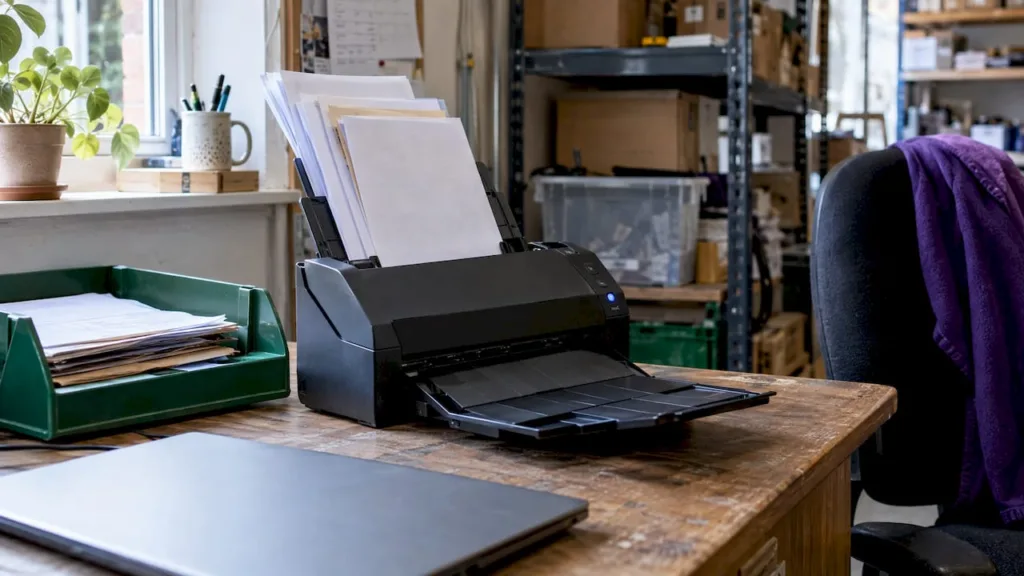
AI can read your invoices, pull out the supplier, date, VAT and totals, and send each one to the right person for approval. It should not approve payments or change supplier bank details on its own. For most Irish sole traders and small businesses, the sensible way in is to automate the reading and filing of invoices, and keep a person on every decision that moves money.
This guide explains how the process works, which steps suit automation, which need a person, what Irish record-keeping rules mean for your setup, and how to start with one small, testable workflow. It also covers customer onboarding, which follows the same rules.
TL;DR
- AI invoice automation captures an invoice, reads its data, checks it, routes it for approval and passes it to your accounts. It does not replace your judgement on payment.
- Automate the repetitive steps: intake, data extraction, filing, reminders. Keep a person on approvals, payments, bank detail changes and unusual invoices.
- Volume matters. Low invoice numbers may not repay the setup effort, so start with one supplier type and measure.
- In Ireland, keep invoice records for six years, with clear and unaltered electronic copies, and make sure VAT codes come through correctly from your accounts software.
- Customer onboarding follows the same rule: automate reminders and requests, keep people on the calls and the judgement.
Table of Contents
- What AI invoice automation actually does
- Which tasks to automate and which to keep with a person
- Is it worth it at your volume?
- Irish rules to build into the setup
- A safe way to start: one supplier, one month
- Training staff and checking the workflow
- Customer onboarding: the same rule applies
- Our view: automate the paperwork, keep the decisions
- Get help setting it up
- FAQ
- Sources
What AI invoice automation actually does
Automated invoice processing uses optical character recognition (OCR) and AI to verify invoice details, route the invoice for approval and schedule payment with limited manual input. OCR turns a PDF or photo into text. The AI part works out which text is the supplier, the invoice number, the VAT and the total.
In practice, a typical flow looks like this:
- Capture. Invoices arrive by email, upload or scan, and land in one place.
- Extraction. The tool reads the fields and flags the ones it is unsure about.
- Checking. It compares the invoice with a purchase order or earlier invoices, and looks for duplicates.
- Approval routing. The invoice goes to the person who approves that kind of spend.
- Posting and payment. Approved invoices pass to your accounting software, and payment is scheduled.
- Archiving. The invoice is stored with a record of who did what.
One vendor describes a seven-step version of this workflow, adding two-way or three-way matching against purchase orders and receipts, and continuous improvement as the tool learns from corrections. A sole trader will use a lighter version, often just steps 1, 2, 5 and 6.
Which tasks to automate and which to keep with a person
The most useful rule is to let AI prepare and let a person decide. Published guidance on accounts payable splits tasks into tiers. Low-risk tasks such as intake and extraction suit AI assistance. Medium-risk tasks, such as coding suggestions, vendor matching and duplicate detection, work best when AI proposes and a person confirms. Final approval, payment release and supplier record changes stay with people.
Another guide agrees that AI is strongest early and mid-way through the workflow: reading fields, tidying supplier names, spotting missing data, first-pass line item comparison, flagging likely duplicates and sending invoices to the right queue. It says finance should keep match exceptions, payment on unmatched invoices, disputed goods or services, and supplier record overrides.
| Task | Automate? | Who stays in charge |
|---|---|---|
| Collecting invoices from an inbox | Yes | You set the rules once |
| Reading supplier, date, VAT, total | Yes | A person spot-checks |
| Suggesting a nominal code | Yes, as a suggestion | A person confirms |
| Flagging duplicates | Yes, as a flag | A person decides |
| Approving an invoice | Only by clear rule for small, routine items | The owner or approver |
| Releasing payment | No, or only after approval | The owner |
| Changing supplier bank details | No | A person, after a phone check |
| Unusual or high-value invoices | No | A person reads them |
Exceptions that always need a human
A UK guide to touchless processing lists the cases that should go to a person: supplier not found, duplicate invoice number, missing purchase order, price or quantity outside tolerance, unclear VAT treatment, changed bank details and low-confidence extraction. It also advises that a confidence score should not replace a check on a material approval or on who gets paid.
The same rule applies on a small scale. A tool that reads an invoice with 99% confidence has told you it read the page well. It has not told you the invoice is genuine, the goods arrived or the price is right.
Bank detail changes are the risky one
Changes to bank account, address and remittance details are among the most common routes for invoice fraud. The advice is to confirm any such change with a second person, using a phone number you already hold for that supplier, not the number in the email asking for the change.
If you set up one control only, make it this one. An automation that cannot change supplier details by itself is much safer than one that can.
Is it worth it at your volume?
Time savings depend on how many invoices you handle. One Irish provider reports that a human review pass can take 30 to 60 seconds per invoice, compared with around five minutes of manual entry, with roughly 80 to 90% of extracted fields accepted unchanged. Those figures come from a vendor selling this kind of tool and from accounting practices with large volumes, so treat them as a guide to scale, not a promise for your business.
The same source says automation does not save much time where volume is below roughly 100 invoices a month, where invoice formats are highly bespoke, where approvals are the real bottleneck, or where the chart of accounts is poorly structured.
That gives you a simple test:
- Many invoices a month, mostly from repeat suppliers: automation is likely to pay off.
- A handful of invoices a month: a tidy shared inbox, a naming rule and a monthly routine may do more good than new software.
- Slow because someone has to approve each one: fix approvals first. Extraction will not help.
- Messy nominal codes in your accounts: tidy those before connecting anything.
If you do save hours, decide in advance where they go. Irish commentary on SME adoption suggests putting the freed time into sales and customer relationships rather than more admin.
Irish rules to build into the setup
Keep records for six years
Revenue says VAT-registered businesses must keep relevant records for six years, and electronic records must follow the electronic invoicing rules. A comparison of Irish payables software also notes that Revenue accepts clear, unaltered electronic images in place of paper.
So your setup should store the original invoice file, not just the extracted data. It should also keep the record unaltered and easy to find. Ask where the files live, who can delete them and how you would export them if you changed tool.
Get VAT codes right
Irish invoices carry different VAT rates, including 23%, 13.5%, 9% and 0%. Most tools inherit these codes from the connected accounting package, such as Xero, Sage or QuickBooks, instead of working them out themselves. That means your accounting software must be set up correctly first. If a supplier invoice has unclear VAT treatment, send it to a person.
E-invoicing is coming in phases
Irish electronic invoices are expected to follow the European standard EN 16931, with a phased rollout ahead of the EU VAT in the Digital Age requirements becoming mandatory on 1 July 2030. You do not need to act today, but it is a good reason to choose tools that connect to your accounts properly and can export clean records. The vendors.ie guide also points to PEPPOL as the network most likely to carry Irish B2B and public sector e-invoices.
Personal data and supplier details
Invoices and onboarding forms contain names, addresses and sometimes bank details. Know where the tool stores them, who has access and what you tell customers. Our guide to GDPR for small Irish businesses covers the basics.
A safe way to start: one supplier, one month
Do not automate everything at once. Use a small trial that you can reverse.
- Pick one invoice type. Choose a repeat supplier whose invoices look the same each month, such as your phone, software or stock supplier.
- Write down today’s steps. Who receives it, who checks it, who pays it and where it is filed.
- Mark each step. Label it automate, suggest or person. Use the table above.
- Set up the inbox rule and extraction. Route those invoices to one address or folder and let the tool read them.
- Run it alongside your normal process for a month. Compare the tool’s output with what you would have entered yourself.
- Count the errors. Note which fields were wrong and why: poor scans, new layouts, missing VAT.
- Decide. Extend to another supplier, adjust the rules or stop.
Our worksheet for choosing AI tasks helps with step 3, and our article on testing AI automation before you scale explains why a small trial comes first. If you are weighing connector tools, see Zapier vs Make for a small Irish business.
Keep your email and backups in order
Most invoices arrive by email, so the automation is only as reliable as your mailbox. A proper business email address on your own domain, with sensible access controls, makes it easier to route invoices safely. Also check that the folder or cloud store holding your invoices is covered by Microsoft 365 backup or another backup, because six years is a long time to depend on one copy.
Training staff and checking the workflow
A new workflow works when the people using it know what the tool does and what they still own. Keep training short and practical.
- Show one real invoice from start to finish, including a wrong extraction and how to correct it.
- Say who approves what. Write the limits down, for example who can approve routine invoices and who handles anything unusual.
- Teach the fraud check. Anyone who receives a bank detail change phones the supplier on a known number before anything is updated.
- Name one person who owns the workflow. They look at errors, duplicates and exceptions each month.
To check it is working, keep three simple measures: how many invoices needed correction, how many exceptions went to a person, and how long a monthly invoice run takes compared with before. If the corrections rise, look for a new supplier layout or a change in your accounts codes.
Customer onboarding: the same rule applies
Many small businesses also want to automate customer onboarding. The rule that sorts the steps is much the same as for invoices. Automate a step when it is the same every time and needs no emotional judgement: welcome emails, intake forms, document requests, reminders and progress tracking. Keep a person on the steps that shape how the customer feels.
Another guide names four steps to keep human: the kickoff call, scope and pricing discussions, relationship check-ins and exception handling. Its rule of thumb is simple: a reminder, a request or a notification can be automated, while judgement, empathy or negotiation stays with a person.
For a small service business, that might look like this:
- Automated: a confirmation email, a form for company details, a request for ID or paperwork, a reminder after three days, and an internal task when the form comes back.
- Person: the first conversation, agreeing scope and price, and any customer who replies with a problem or a question the form did not expect.
Staff onboarding follows a similar pattern, with approvals and access as the main controls. See our piece on onboarding automation, approvals and access.
Our view: automate the paperwork, keep the decisions
We think invoice automation suits a small business best when it starts small and stays under your control. The tools are good at reading documents and filing them. They are not responsible for your cash, your VAT or your supplier relationships. You are.
That is why we set up AI workflows in stages. First we agree which task is worth automating. Then we test it on a limited set of real documents, with a person checking the output. Only after that do we widen it. Scope is agreed before work begins, so you know what is included.
We also look at the systems around the tool: your email, your accounts software, your access controls and your backups. An invoice workflow that sits on weak email security or has no backup is not a finished job. As one person to contact, we can look at the whole set-up with you instead of passing you between suppliers.
hostme.ie
Get help setting it up
If you want a second pair of hands, hostme.ie helps Irish sole traders and small businesses, especially in Galway and Mayo, to choose AI tools, set them up and train staff to use them. That includes practical workflows with ChatGPT, Claude and Microsoft Copilot, and the email, security and backup work around them. Scope is agreed before work starts.
See our AI for business service for details, then message us on WhatsApp to talk through your invoice process. Phone and email also work if you prefer. For a gentler start, read how to begin AI in your small business with one useful task.
FAQ
Can AI approve and pay invoices for me?
It can, technically, if you set rules for small routine invoices from known suppliers. We would keep payment release and any unusual invoice with a person. Guidance on accounts payable controls says final approval and payment release should be supported by AI, not decided by it.
Is it worth automating if I only get a few invoices a month?
Probably not as a first step. One Irish vendor says savings are limited below roughly 100 invoices a month. A shared invoice inbox, consistent file names and a monthly routine give most of the benefit at low volume.
How long do I have to keep invoices in Ireland?
Revenue says VAT records should be kept for six years, and electronic records must follow its electronic invoicing rules. Keep the original invoice file and make sure your tool lets you export it. Check your own position with your accountant.
Which invoice tasks are safe to automate first?
Start with collecting invoices into one place, reading the fields and filing the document. These are low-risk and easy to check. Coding suggestions and duplicate flags come next, as long as a person confirms them.
Can the same approach work for customer onboarding?
Yes. Automate forms, reminders and document requests, and keep the first call, pricing discussion and any problem with a person. Start with one customer type and review how it goes after a few new customers.
Sources
- What to know about automated invoice processing, Stripe
- How to Automate Invoice Processing in 2026, Klippa
- AI in Accounts Payable: Where It Helps and Where Controls Matter, Invoicedataextraction.com
- Smart Invoicing with AI, Cognaptus
- How Does Touchless Invoice Processing Work?, Wise
- How much time Irish practices save automating invoice entry, KrinoDoc
- Why Irish SMEs are losing the AI adoption race, Business2000
- How long do you keep records for?, Revenue
- Best Accounts Payable Automation Software in Ireland, Vendors.ie
- Ireland Prepares for Electronic Invoicing and VAT Reporting, EDICOM
- Client Onboarding Automation: What to Automate and What to Keep Human, OnboardMap
- Client onboarding automation: what to keep human, Portico