Google Workspace support
Email. Files. Team.
Working together.
Set up, move or get more comfortable with Google Workspace.
Your business email needs to work. Your team needs the right access. And a move should start with a plan for the information you rely on.
Business setup, carefully scoped migrations and practical help with accounts, sharing and everyday work.
Discuss my Workspace setupOne person to message. The person doing the work.

Before a Google Workspace move
More than moving an inbox.
- Who needs what?
- What can the migration tools move?
- What will we check before switching?
One person to message.
The person doing the work.
Clear scope before work starts.
Practical help for your business.
Start with what you need
Where does your team need a hand?
Choose the closest starting point.
Set it up for the business.
Give the business a clear starting point.
Agree named accounts, the administrator owner, licences and storage. Set up the domain and business email, then review sign-in protection, groups, sharing and devices.
How many people need accounts? Do you own the domain? What email and files do you use now?
Scope, cost and timing agreed before work starts.
Useful before we talk
Start with a migration checklist you can use.
The editable workbook covers readiness, permissions and cutover checks. Use it to prepare your own move or a conversation about support.
Download the migration workbook ↗XLSX · no signup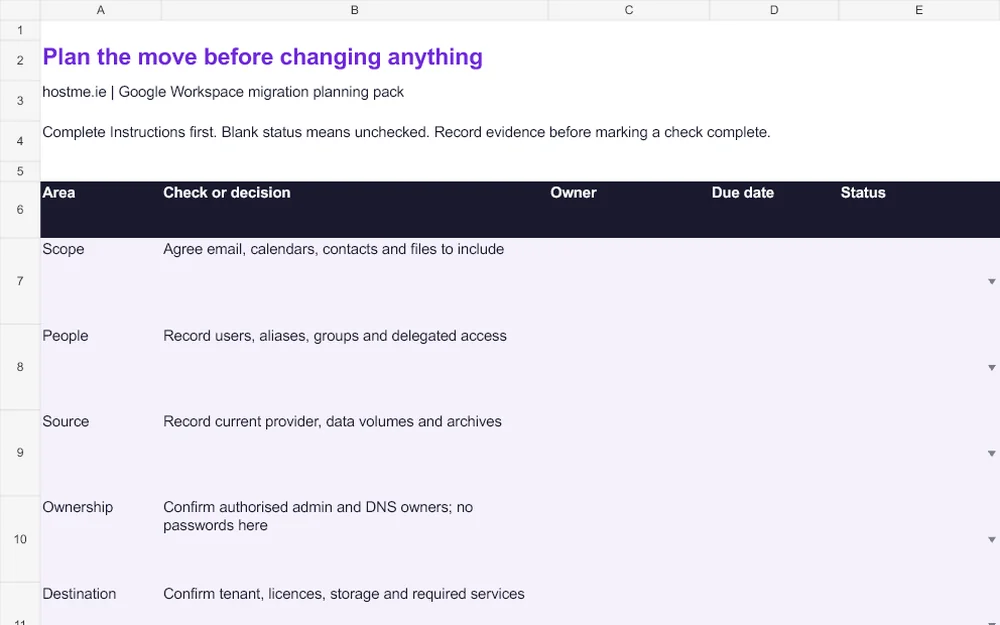
From first conversation to agreed work
A clear way forward.
Take stock.
Record users, source systems, data volumes, access, domain ownership and any applications that depend on email.
Pilot and agree.
Check a representative account and record exceptions. Agree the scope, cost, timing and recovery plan before a wider move.
Check with the team.
Verify the agreed mail, calendars, files and permissions. Record anything that needs follow-up and hand over the admin responsibilities.
Konrad has looked after our company emails & web domain for years, he is very knowledgeable and a pleasure to deal with. I would highly recommend his business.
Before you get in touch
A few useful answers.
Something else on your mind?
Can you move us from another email provider?
We first check the source, accounts, data volumes and migration tools. The plan records what can move, what needs separate handling and what will be tested before the switch.
Do licences cover setup and migration?
Licence costs and the work to set up, migrate or support the business are separate. We agree the scope and any required tools before quoting the work.
Can we start with a single problem?
Yes. Tell me the task, the affected account or service, and what happens instead of the expected result. We can agree an investigation or a defined piece of work.
What should I gather before a migration discussion?
Current provider, number of users, approximate data volumes, domain ownership, shared mail or files, and any application dependencies. The free workbook gives you a place to record them.
Give your team
a clearer working day.
Start with a conversation. I’ll help you work out the next step.
Or write it down
Prefer email to a chat? Send it here.
Same person reads it, same answer comes back. Use this when it is easier to type it out properly than to message.