Veeam vs Acronis: which backup suits a small business?
Veeam or Acronis for a small Irish business? Compare pricing model, setup effort, security extras and restore testing, then see how to decide.
For most sole traders and small offices with a handful of PCs, Acronis is usually the simpler fit, because it bundles backup with endpoint security in one agent. Veeam suits businesses with virtual servers, several systems to protect, or someone who will design and maintain the setup. Either one works if the restores are tested. Neither helps if they are not.
This guide compares the two on the points a small business owner decides on: cost model, setup effort, what each protects, and how you prove it works. It is written for owner-operators and office managers in Ireland, not for enterprise IT teams.
TL;DR
- Acronis bundles backup with endpoint security in a single agent. Industry commentary points to better value for small businesses with fewer than 100 virtual machines.
- Veeam is strong on virtual machines and larger or mixed environments, but usually needs more upfront design and planning.
- Both are recognised: ISG’s 2026 buyers guide names Veeam as a leader in data recovery platforms and describes Acronis as an exemplary provider.
- The product matters less than the process: an off-site copy, an offline copy and regular restore tests.
- If you do not want to choose alone, we can scope it with you first, then set up and look after it.
Table of Contents
- Who this comparison is for
- The two products in brief
- Veeam vs Acronis at a glance
- Cost: how the pricing works
- Setup and day-to-day effort
- What each should protect in a typical small business
- The rule that matters more than the brand
- Test your restores, whichever you choose
- A fair way to decide
- Our view
- Getting help with the decision
- FAQ
- Sources
Who this comparison is for
Both products are built for a wide range of customers, from managed service providers to large enterprises. A small business sees only a slice of that. If you run a Galway accountancy practice with six laptops and a shared drive, or a Mayo builder with a site office and Microsoft 365, you do not need to compare every feature on a vendor chart.
You need answers to four questions:
- What exactly am I backing up: PCs, a server, a NAS, Microsoft 365, a website?
- Who will set it up and watch it?
- What does it cost per year, and how is that counted?
- How will I know a restore works before I need one?
The rest of this article follows those questions.
The two products in brief
Veeam
Veeam began in 2006 in Switzerland. After a 2020 acquisition by Insight Partners it is headquartered in Columbus, Ohio. Its core engine covers image-level, file-level and application-aware backup for VMware, Hyper-V, Nutanix AHV, physical Windows and Linux servers, NAS and workstations.
It is sold in two ways, according to a pricing breakdown: the self-managed Veeam Data Platform, licensed per instance, and the cloud-based Veeam Data Cloud, billed per user or per TB.
Veeam’s reputation rests on virtual machine backup and fast restores. The trade-off is that it generally expects a more robust, self-designed infrastructure. That means more planning for a small team.
Acronis
Acronis sells a unified cyber protection platform. It combines backup, disaster recovery and endpoint security in a single management console and agent. For a small business, that can remove the need for a separate security subscription, as the same pricing analysis notes.
On Gartner’s Peer Insights comparison page, Acronis shows 4.5 from 335 ratings and 84% willing to recommend. Treat review scores as one input. They come from a mix of company sizes, and most are larger than yours.
Veeam vs Acronis at a glance
| Question | Acronis | Veeam |
|---|---|---|
| Best fit | Small offices, a few PCs and servers, a wish for one tool | Virtual server estates, multi-hypervisor or hybrid-cloud setups |
| What you get | Backup plus endpoint security in one agent | Backup and recovery focus, with strong VM support |
| Licensing model | Per workload, often bundled with security | Per instance (Universal License) or cloud billing per user or TB |
| Setup effort for a small team | Lower | Higher, more upfront planning |
| Separate security tool needed? | Often not | Usually yes |
| Market standing (ISG 2026) | Exemplary provider | Leader |
The table sums up published commentary, not a lab test. Your own environment can change the result.
Cost: how the pricing works
Published pricing for both products is partner-led and varies by edition, so treat any figure as a rough guide. One third-party analysis estimates Acronis at about $85 per workstation per year and Veeam Essentials at about $95 per instance per year. These are US dollar estimates, not Irish quotes, and VAT and storage are separate matters.
Three things move the real cost more than the headline figure:
- What is counted. Acronis counts workloads such as PCs and servers. Veeam counts instances, which can be a VM, a physical server or a workstation depending on the licence.
- Storage. Off-site copies need somewhere to live. Cloud storage is often billed separately, and it grows as your data grows.
- The security tool you may no longer need. If Acronis replaces a separate endpoint protection subscription, compare the combined cost, not just the backup line.
The same analysis suggests that under 100 virtual machines, Acronis is typically more competitive. For larger, multi-hypervisor or hybrid-cloud environments, Veeam is often preferred for scalability and a consistent licensing model. Most small businesses in Galway and Mayo sit well below that line.
Setup and day-to-day effort
This is where small businesses feel the difference.
With a single agent that also handles security, Acronis tends to mean fewer moving parts to install, update and monitor. Veeam rewards design: repositories, backup jobs, retention rules and where the off-site copy goes. If you have a virtual server or several servers, that design work pays off. If you have five laptops, it is more than you need.
Whichever you pick, ask who will:
- check that jobs ran every day,
- act on failure alerts,
- update the software,
- and run a restore test every quarter.
If the answer is “nobody”, the product choice is secondary. A backup nobody watches fails quietly.
What each should protect in a typical small business
A small business rarely has one thing to back up. Map your own list:
| What you have | What to check |
|---|---|
| Windows PCs and laptops | Full image or files? Can you restore to different hardware? |
| A small server or NAS | Is it a physical or virtual machine? Are databases involved? |
| Microsoft 365 mail, OneDrive, SharePoint | Microsoft’s own retention is not the same as a separate backup. See our Microsoft 365 backup guide. |
| Google Workspace | Same question. Our Google Workspace security guide covers the basics. |
| Website and email hosting | Often handled by the host, but confirm what is kept and for how long |
| Accounting or CRM data | Cloud apps need their own plan |
This list often shows that the choice of Veeam or Acronis covers only part of your risk. Cloud services are usually the part owners forget.
The rule that matters more than the brand
Veeam promotes the 3-2-1-1-0 rule, and it is sound whichever product you buy. Keep 3 copies of your data, on 2 different media, with 1 copy off-site, 1 copy offline or immutable, and 0 errors after recovery testing.
The offline copy matters because attackers go after backups. Veeam cites that 93% of cyberattacks target backup copies. That figure is a vendor claim, so read it as a prompt to protect the copies, not as a precise statistic.
In practice for a small business:
- Copy one: the live data on your PC or server.
- Copy two: a local backup on a separate drive or NAS.
- Copy three: an off-site copy in cloud storage.
- Offline or immutable: a copy that ransomware cannot change or delete.
- Zero errors: a restore test that proves the data opens.
If you want the wider plan, our small business disaster recovery guide shows how to start in 20 minutes, and our piece on cloud backup as an insurance policy explains why the off-site copy is worth paying for.
Test your restores, whichever you choose
Both platforms offer tools for automated verification. The common failure is not the tool. Relying on backups without testing whether they boot or contain readable files is a frequent point of failure when a real incident happens. ISG’s 2026 report makes a similar point: recovery readiness needs policy-driven automation and continuous validation, not periodic backups alone.
A simple routine for a small business:
- Pick one file, one mailbox item and, if you have a server, one full system each quarter.
- Restore it to a different location, not over the original.
- Open it and confirm it is complete.
- Write down the date, what you restored, how long it took and who did it.
- Fix anything that failed, then test that again.
We publish a free backup restore-test log and a guide to using it. It works with any backup product.
A fair way to decide
Use these questions in order.
Choose Acronis if:
- you have mostly PCs, laptops and perhaps one server or NAS,
- you would like backup and endpoint security under one agent and one bill,
- nobody in the business wants to design a backup architecture.
Choose Veeam if:
- you run virtual servers on VMware, Hyper-V or similar,
- you expect to grow into several sites or a hybrid-cloud setup,
- someone will design and maintain the setup, whether in-house or an IT provider.
Consider neither as the first step if:
- your main data lives in Microsoft 365 or Google Workspace and your PCs hold little. A cloud-to-cloud backup may cover more of your real risk.
These are rules of thumb drawn from published commentary. A short look at your actual setup will beat any general advice, including ours.
Our view
We look after IT for sole traders and small businesses, so we see how backups fail in small offices. Rarely is it because the wrong brand was bought. It is usually one of four things: nobody checks the job reports, the off-site copy was never set up, Microsoft 365 was assumed to be backed up, or nobody ever tried a restore.
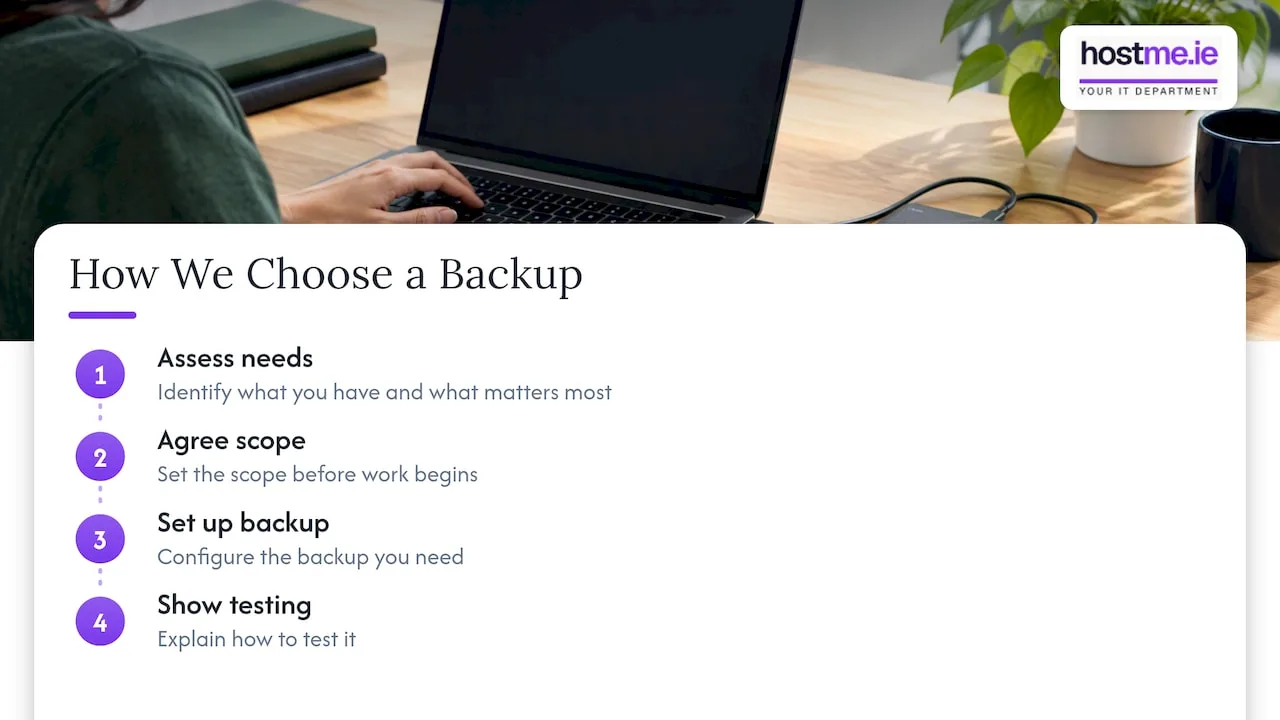
That shapes how we approach the choice. We start with what you have and what would hurt most to lose. Then we agree the scope before any work begins, set up the backup you need, and show you how to test it. A tool that fits your size and that you can actually maintain is better than the most powerful one on a comparison chart.
We are one person to contact, working remotely, with on-site work where agreed. We do not say one product is right for everyone, because it is not.
— hostme.ie
Getting help with the decision
If you would rather not weigh up licences and editions yourself, our backup and recovery service covers setup, off-site copies and restore testing, agreed up front. Ad-hoc help and separately scoped projects are available. Managed support has an initial 12-month term, and we agree scope, cost and contract terms before work starts.
For wider needs such as email, devices and security, see our IT support page. To talk it through, get in touch with hostme.ie on WhatsApp via our contact page. Phone and email work too.
FAQ
Is Veeam better than Acronis?
Not across the board. Veeam is a leader in ISG’s 2026 data recovery rankings and is strong for virtual machines and larger environments. Acronis is often better value for small businesses because it bundles security. The better choice depends on what you protect and who will manage it.
Is Acronis good backup software for a small business?
It can be. It combines backup and endpoint protection in one agent, which keeps things simpler for a small team. Gartner Peer Insights shows 4.5 from 335 ratings. As with any product, it only protects you if it is configured properly and tested.
What is the Veeam 3-2-1 rule?
It is a guideline to keep three copies of your data on two kinds of media, with one copy off-site. Veeam now promotes an extended 3-2-1-1-0 version, which adds one offline or immutable copy and zero errors after recovery testing.
Which country is Veeam from?
Veeam was founded in Switzerland in 2006 and is now headquartered in Columbus, Ohio, following its 2020 acquisition by Insight Partners.
Do I need either if I only use Microsoft 365?
You may need a separate backup, but not necessarily one of these two. Check what you would lose if a mailbox or SharePoint site were deleted, then see our Microsoft 365 backup guide.
Sources
- Veeam Pricing 2026: Total Cost & Competitors
- ISG Buyers Guide Data Recovery Platforms 2026
- Veeam emphasizes the 3-2-1-1-0 rule, Outlook Business
- Veeam company profile, UINAT
- Acronis vs Veeam, Gartner Peer Insights
- Best On Line Backup Services 2026 Buyer’s Guide, Gitnux