Wordfence vs Sucuri: Which Suits a Small Business Site?
Wordfence vs Sucuri compared for small business WordPress sites: where each firewall sits, what they cost, setup effort and which to pick. Plain advice.

Wordfence is a WordPress plugin that protects your site from inside your server. Sucuri’s paid platform is a cloud service that filters traffic before it reaches your server. For most small business sites on a tight budget, Wordfence is the easier place to start. If you want attacks stopped before they touch your hosting, or you want cleanup handled for you, Sucuri’s paid platform is the better fit.
This guide compares them on the things a sole trader or office manager actually has to decide: where the firewall sits, what each costs, how much setup is involved and what neither of them does for you.
TL;DR
- Wordfence is a plugin you install in WordPress. The free version includes a firewall and malware scanner, but with a 30-day delay on new rules and signatures.
- Sucuri is a cloud platform. Its firewall needs a DNS change, and it works for sites that are not on WordPress too.
- Cost (USD, as listed by each vendor): Wordfence Premium is $149 a year. Sucuri’s cheapest platform plan is $229 a year per site.
- Neither replaces updates, strong logins, two-step verification and tested backups.
- Not sure? hostme.ie can look at your site and agree a scope before any work starts.
Table of Contents
- The real difference: where the firewall sits
- What each one is
- Features side by side
- What they cost
- Setup and day-to-day effort
- Which one suits which business
- What neither tool does for you
- How to decide in 15 minutes
- Our view
- Get help choosing and setting up
- FAQ
- Sources
The real difference: where the firewall sits
Most of the comparison comes down to one point. Wordfence’s firewall and scanner run on your own web server, as part of WordPress. Sucuri’s paid firewall runs in the cloud, in front of your site, so bad traffic is filtered before it arrives. Relvato’s 2026 comparison puts it the same way.
That has practical effects:
- Wordfence can see inside your WordPress files, so it can scan them directly. It also uses your server’s resources to do so.
- Sucuri blocks traffic at the edge, which can reduce load on your hosting. Its free SiteCheck scanner only inspects what a browser can see. Sucuri says it cannot scan server-side files; that needs the paid platform.
Neither approach is better in every case. A shop with a lot of traffic and bot attacks may value the cloud filter. A small brochure site with a handful of visitors a day may be perfectly well served by a plugin.
What each one is
Wordfence
Wordfence is built for WordPress. The WordPress.org listing describes a firewall, malware scan, login security including 2FA and passkeys, and live traffic view. You install it, configure it inside the dashboard and manage it there.
One detail catches people out. After installation, Wordfence starts in Learning Mode, which means it is not yet actively blocking attacks. You need to move it to full protection once it has learned how your site normally behaves. Many owners install it and assume they are covered.
Sucuri
Sucuri describes itself as a managed security platform for websites generally, with a cloud firewall, DDoS mitigation, malware detection and cleanup, blocklist monitoring and a CDN, according to its own site. It also has a free plugin for WordPress, but the main protection is the paid platform.
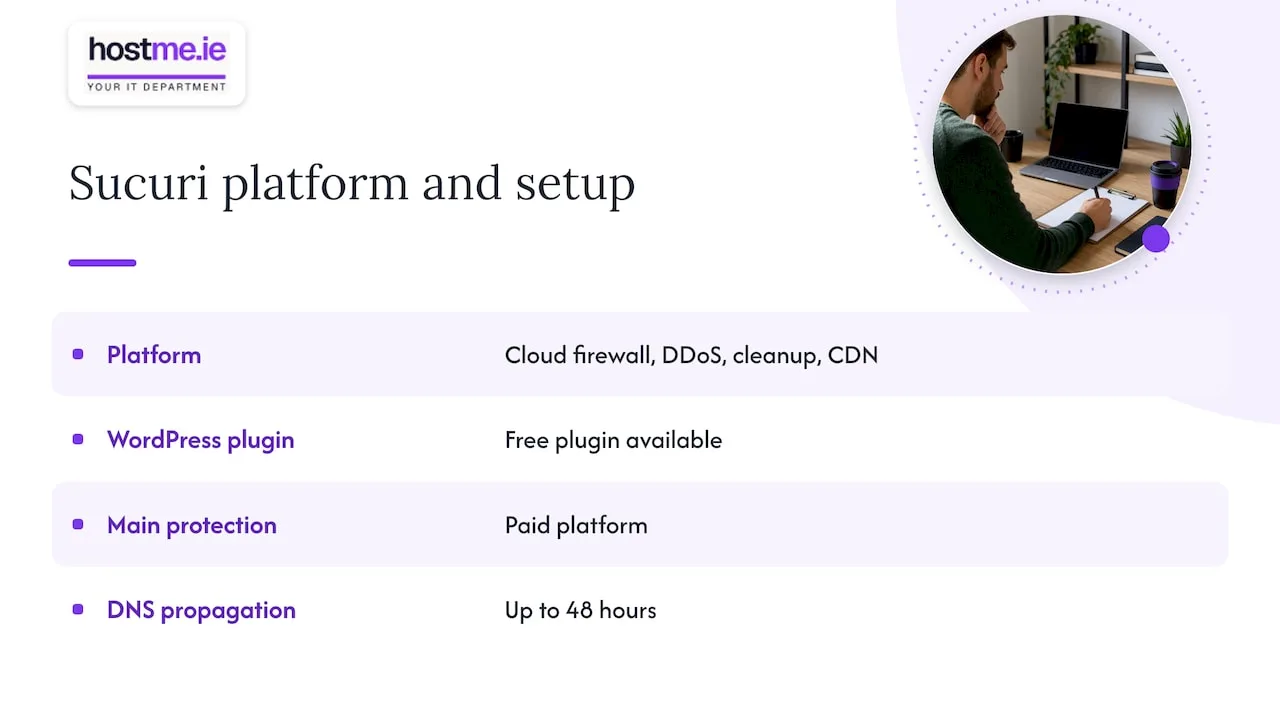
Sucuri’s firewall needs a DNS change. Its setup documentation says DNS propagation can take up to 48 hours, and protection is not fully active worldwide until that finishes. If you do not control your own domain settings, sort that out first. Our domains service is the usual starting point when a business is unsure who holds its DNS.
Features side by side
| Wordfence | Sucuri | |
|---|---|---|
| Type | WordPress plugin | Cloud platform (any website) |
| Firewall location | On your server | In the cloud, before your server |
| Setup | Install and configure in WordPress | DNS or nameserver change |
| Free option | Yes, with 30-day delay on rules and signatures | Free SiteCheck scan (remote only); free plugin |
| Malware scanning | Scans files on the server | Remote scan free; server-side scan on paid platform |
| Cleanup | Included in Care and Response plans | Included in paid platform plans |
| Performance | Uses server resources | CDN can help speed and failover |
Sources for the table: Wordfence pricing, Sucuri’s firewall page and MalCare’s 2026 review, which notes both products can use server resources and that Sucuri’s firewall needs DNS configuration.
What they cost
Both vendors price in US dollars, so the euro cost will vary with exchange rates and any VAT. These are the list prices from each vendor’s pricing page.
Wordfence plans
According to Wordfence’s pricing page:
- Free: $0. Firewall rules and malware signatures arrive 30 days late.
- Premium: $149 a year. Real-time rules and signatures, IP blocklist, country blocking and ticket support.
- Care: $590 a year. Adds installation, configuration, monitoring, an annual audit and incident-response services.
- Response: $1,250 a year. Adds round-the-clock incident response, with a one-hour response time and 24-hour time to resolution.
For a typical small business site, the choice is usually between Free and Premium. Care and Response are aimed at sites where downtime is costly.
Sucuri plans
Per Sucuri’s pricing, the Website Security Platform is per site:
- Basic: $229 a year
- Pro: $339 a year
- Business: $549 a year
Sucuri also sells a standalone firewall with CDN at $9.99 a month (Basic) and $19.98 a month (Pro). Its Junior Dev plan, for two to five sites, is listed at $999.98 a year. Sucuri states a 30-day guarantee and a 24/7 security team on the platform plans.
Prices change, so check both pages before you buy.
Setup and day-to-day effort
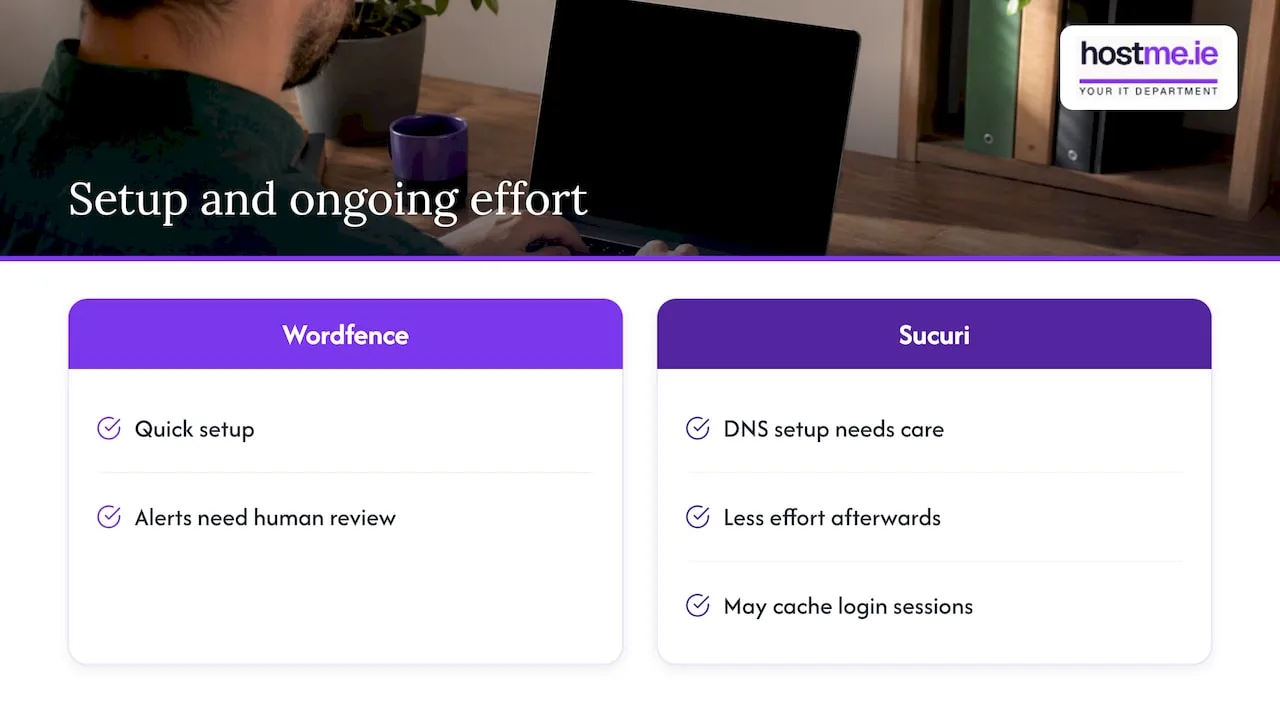
Wordfence is quicker to start. Install, activate, run a scan, then move out of Learning Mode. The dashboard shows whether the firewall is enabled, whether scheduled scans are on and whether anything needs attention. The catch is that someone has to look at it. Alerts that land in an inbox nobody reads protect nothing.
Sucuri takes more care at the start because of DNS, but less afterwards. One caching point matters: Sucuri’s own documentation says caching is recommended for performance, but it may cache sessions on sites with logins. If your site has customer accounts, a booking system or a shop checkout, test those after go-live.
Which one suits which business
These are our rules of thumb, not a guarantee of outcome.
Wordfence is a sensible choice if:
- your site is on WordPress only
- you want to start free and upgrade later
- someone checks the dashboard and acts on alerts
- your hosting has room to spare
Sucuri is a sensible choice if:
- you want traffic filtered before it reaches your hosting
- you want cleanup and monitoring bundled in
- you run more than WordPress, or you want one tool across several kinds of site
- you are comfortable making, or having made, a DNS change
Consider neither as your first step if your site is already hacked. In that case, the first job is containment, not a new plugin. Our guide to what to do when WordPress is hacked covers it. If you are also weighing a general CDN-style firewall, see Cloudflare vs Sucuri for small business sites.
What neither tool does for you
A security plugin or firewall is one layer. The basics still decide most outcomes. WordPress’s official hardening guidance recommends:
- Strong passwords and two-step authentication.
- Keeping WordPress and plugins updated, and deleting plugins you do not use.
- Regular backups of the database and the full installation, kept somewhere trusted.
- A second layer of protection on the admin area.
- Using logs to work out what happened and when, if something goes wrong.
Ireland’s National Cyber Security Centre gives small businesses the same core advice in its SME guidance: turn on multi-factor authentication, apply updates promptly, and keep backups of critical data separate from the original. These controls matter whichever of the two you choose.
A simple check: restore a backup once, to confirm it works. Our restore-test log gives you a way to record it. For the wider picture, the small business firewall checklist covers the network side.
How to decide in 15 minutes
- Confirm what you run. Is it WordPress only? Is there a login area, shop or booking system?
- Confirm who holds your domain and DNS. If you do not know, find out before considering Sucuri’s firewall.
- Decide who will read alerts. If the answer is nobody, a managed option is worth more than a free plugin.
- Check backups and updates first. They cost little and fix more than either product.
- Start at the lowest plan that fits, then review after a few months of real use.
Our view
We see the same pattern with small business WordPress sites. The tool is rarely the problem. The problem is that nobody owns the site’s security: plugins go months without updates, the admin login has no second step, and alerts go to an old email address.
That is why we start with scope rather than a product. We look at what the site does, where it is hosted, who controls the domain, and who will act when something goes wrong. Then we agree what is worth doing, whether that is Wordfence, Sucuri, a hosting-level fix, or simply tidying up updates and backups.
You get one person to contact, remote support, and on-site work where agreed. We would rather set up one protection layer properly than leave two half-configured.
hostme.ie
Get help choosing and setting up
If you would rather not weigh this up alone, hostme.ie provides practical IT support for sole traders and small businesses, especially in Galway and Mayo. That includes security and SSL, managed web hosting and ongoing IT support. Scope, cost and contract terms are agreed before work begins. Ad-hoc help and separately scoped projects are available, and managed support has an initial 12-month term.
The next step is simple: message us on WhatsApp with your website address and what worries you. Phone and email also work if you prefer. You can also use our contact page.
FAQ
Is Wordfence or Sucuri better for a small business website?
It depends on your site and who will manage it. Wordfence is simpler and cheaper to start with, and it is built for WordPress. Sucuri suits owners who want cloud filtering and managed cleanup, and are happy to make a DNS change.
Can I use Wordfence and Sucuri together?
Some sites do, for example a cloud firewall plus a plugin that scans files on the server. The two do different jobs, so overlap is not always a conflict. Running two firewalls without a clear plan can cause confusing blocks, so agree the setup first.
Is the free version of Wordfence enough?
The free version includes the firewall and malware scanner, but firewall rules and malware signatures reach it 30 days after paid users. For a low-risk brochure site that is often a reasonable start. If your site takes payments or holds customer data, consider whether a 30-day delay is acceptable.
Do Wordfence or Sucuri replace backups?
No. They reduce the chance of an attack and help find malware, but they do not replace a tested backup stored separately. The NCSC advises small businesses to keep backups apart from the original data, which is the sensible rule for any site.
Sources
- Wordfence Pricing
- Wordfence Security plugin listing, WordPress.org
- Wordfence dashboard documentation
- Sucuri website firewall and pricing
- Sucuri platform overview
- Sucuri SiteCheck
- Sucuri getting started documentation
- Sucuri firewall troubleshooting guide
- Relvato: Wordfence vs Sucuri
- MalCare: Sucuri vs Wordfence
- Hardening WordPress, WordPress developer documentation
- NCSC Ireland: Cyber security for small business