Governance First Patch Management Policy for SMEs: 90 Day Runbook
Governance first patch management policy for SMEs: name one owner, set a 72 hour critical SLA, and follow an Intune friendly 90 day runbook.

A patch management policy is the formal document that sets out how your organisation identifies, tests, approves and deploys software updates, with clear owners and deadlines for each severity level. The first action is simple: name one person as the patching owner and adopt baseline SLAs, such as 72 hours for critical vulnerabilities. Everything else, including the templates and deployment runbook below, builds on that single decision.
TL;DR:
- Patch critical vulnerabilities within 72 hours if actively exploited or CVSS 9.0+, and adjust SLAs based on actual asset criticality and exploitation status.
- Use a staged rollout process with at least three rings, assigning update groups to device rather than user groups to ensure reliable deployment and avoid slipping devices.
- Maintain an accurate asset inventory including device details, owner contacts, and patch sources, with automated discovery supporting large fleets.
- Require documented exception requests with justification, mitigations, and expiry dates, reviewed regularly to prevent permanent waivers.
- Collect timestamped deployment logs, approval records, and exception histories as audit evidence to demonstrate compliance with patch policies.
Table of Contents
- What should a patch management policy include?
- How fast should you patch critical vulnerabilities?
- How do you roll out patches safely without breaking systems?
- What does an asset inventory need to support patching?
- How do you manage patching exceptions properly?
- What KPIs prove your patch policy is working?
- What should a patch management policy document contain?
- How do you roll out a new patch policy in 90 days?
- Why governance matters more than tooling for small teams
- Get your patch policy running with hands-on support
- Sources
- FAQ
What should a patch management policy include?
A policy document is not a spreadsheet of update deadlines. It’s a governance record that says who decides, who acts, and how quickly, regardless of which tool does the actual patching.
Start with purpose and scope. State plainly why the policy exists (to reduce the window of exposure to known vulnerabilities) and list every asset category it covers: operating systems, firmware, business applications, cloud workloads and network devices such as routers and firewalls. A policy that only mentions laptops leaves your server estate and IoT devices in a grey area, and auditors will ask about that gap.
Ownership comes next, and it needs names or job titles, not departments. A simple RACI split works well for small teams:
- Owner: accountable for the policy overall, usually the IT manager or outsourced IT lead.
- Approver: signs off on deployment windows and exceptions, often the business owner for smaller firms.
- Implementer: runs the actual patch cycle, whether that’s an internal admin or a managed service provider.
The NIST SP 800-40r4 guidance frames patching as preventive maintenance and ties it directly to your wider vulnerability and configuration management controls, not as a standalone IT chore. That’s an important shift in thinking: patching isn’t a task list, it’s a control that feeds your risk register.
Finally, keep severity-to-deadline rules (the SLAs) inside the policy, but keep the actual deployment calendar and step-by-step runbook in separate documents. A policy that tries to be both a governance statement and a weekly schedule becomes unreadable within a year, and every minor scheduling change forces a full policy review.
How fast should you patch critical vulnerabilities?
Commonly adopted baseline SLAs are Critical within 72 hours, High within 7 days, and Medium within 30 days, according to Palo Alto Networks’ Cyberpedia guidance on patch management. Low-severity issues typically wait for the next scheduled maintenance cycle, often 60 to 90 days out.
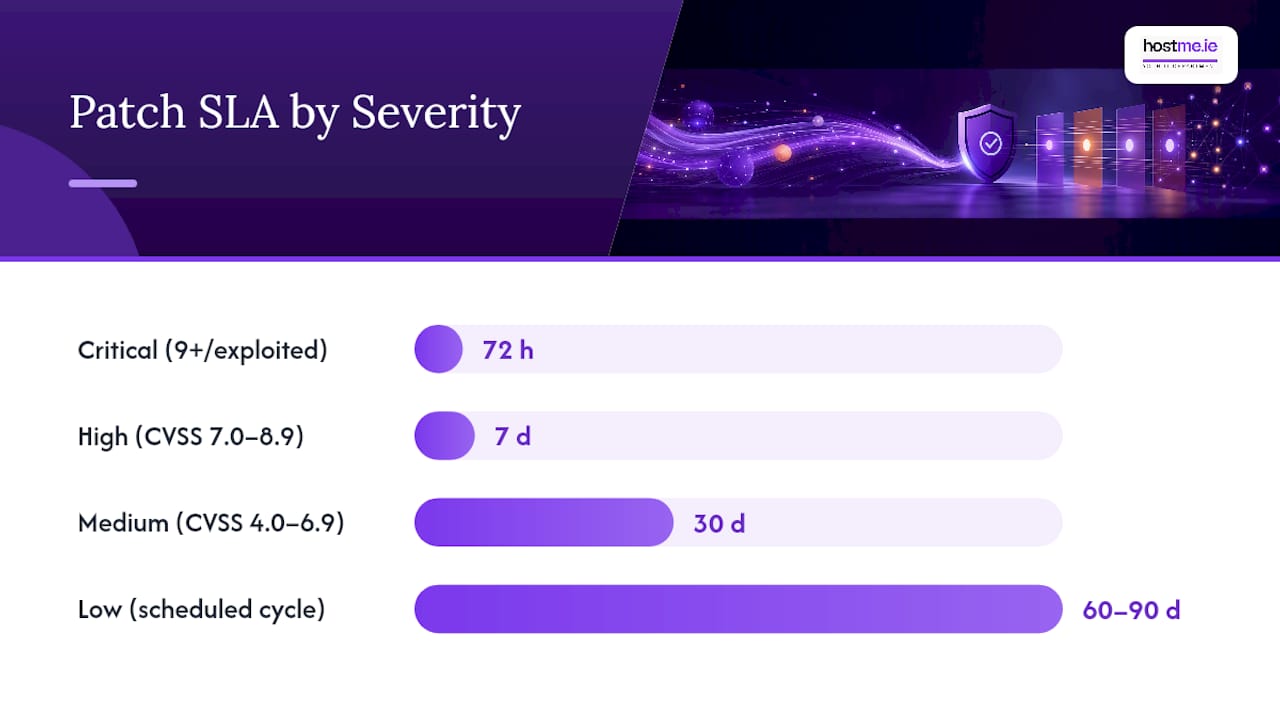
These numbers work as a starting point for most SMEs, but they shouldn’t be copied blindly. Prioritisation should combine three inputs: the CVSS score, whether the vulnerability is being actively exploited in the wild, and how critical the affected asset actually is to your business. A medium-severity flaw on a public-facing web server can outrank a “critical” one on an isolated test machine.
Pro Tip: Build an emergency escalation path separate from your standard SLA table. If a vendor issues an out-of-band patch for active exploitation, your policy should allow a same-day emergency change, bypassing the normal weekly deployment window entirely.
A defensible SLA table looks something like this:
- Critical (actively exploited or CVSS 9.0+): patch within 72 hours.
- High (CVSS 7.0 to 8.9): patch within 7 days.
- Medium (CVSS 4.0 to 6.9): patch within 30 days.
- Low (CVSS below 4.0): patch at next scheduled cycle.
For auditors, document each patch cycle with a timestamped approval record, the deployment log, and a note on which SLA tier applied. Without that evidence trail, you can claim you patch quickly, but you can’t prove it.
How do you roll out patches safely without breaking systems?
Deploying every update to every device on day one is how a routine patch cycle turns into a helpdesk crisis. A staged rollout, often called a ring model, spreads risk across time and device groups.
- Pilot ring (IT and test devices): receives updates first, often soon after release, so problems surface on machines nobody depends on for daily work.
- Early adopter ring: a small representative group gets the update after the pilot ring shows no issues.
- Broad deployment ring: the remaining devices receive the update once the earlier rings confirm stability, typically within a couple of weeks.
Microsoft Intune’s update ring policies support a three-ring approach, with configurable deferral periods for quality and feature updates. Deferrals are typically shorter for early rings and longer for broad deployment. Intune also lets admins pause rollouts temporarily and set installation deadlines after a grace period.
One detail trips up a lot of admins moving to Intune for the first time: assign update rings to device groups, not user groups. Shared and kiosk machines don’t reliably belong to one user, and if your ring policy is tied to who signs in, some devices will slip through every cycle without anyone noticing.
Apple’s declarative device management works on a similar principle but with more flexibility for the end user: you can set an enforcement date by which an update must be installed, while letting people update earlier if they choose. Android Enterprise offers comparable controls, including automatic, windowed or postponed installation (postponement capped at 30 days), plus freeze periods to protect against updates landing during your busiest trading weeks, as Android’s developer documentation on system update policies explains.
What does an asset inventory need to support patching?
You cannot patch what you don’t know exists. NIST’s guidance on enterprise patch management planning recommends assigning every asset to a maintenance group so a remediation plan is ready the moment a new vulnerability is disclosed, rather than being decided from scratch each time.
A workable inventory captures, at minimum:
- Device name, type and current OS version.
- Business owner (who to contact if patching causes disruption).
- Line-of-business applications installed and their patch source.
- Exposure level (internet-facing, internal-only, or air-gapped).
- Which patching tool manages the device.
Maintenance groups then map to deployment policies: all Windows laptops in the sales team might sit in one group with a 7-day deferral, while finance servers sit in a stricter, more tightly tested group. New systems should join a maintenance group and reach full patch compliance within a fixed window, commonly 14 days from provisioning, which is also the point at which an onboarding checklist for new devices earns its place in your process. Manual spreadsheets work for a handful of devices, but automated discovery becomes necessary once your fleet crosses roughly 20 to 30 endpoints, simply because manual tracking starts missing devices.
How do you manage patching exceptions properly?
Every policy needs an exception process, because some systems genuinely cannot patch on the standard schedule; a legacy application that breaks under a new .NET version is a common real-world case. The mistake most organisations make is leaving exceptions undocumented, which turns a temporary waiver into a permanent, invisible risk.
An exception request should require:
- Justification: why the standard SLA cannot be met.
- Compensating controls: what mitigates the risk in the meantime (network segmentation, restricted access).
- Expiry date: exceptions should never be open-ended.
- Named owner: someone accountable for reviewing and closing it.
Every exception must be logged somewhere an auditor can find it, ideally in the same system that tracks your change requests, so the two processes stay connected rather than running in parallel. Patching is, after all, a change, and it should go through the same approval and rollback planning as any other change to production systems.
Pro Tip: Set a hard review cadence, monthly for small teams, for every open exception. An exception nobody revisits within 90 days has effectively become an unofficial permanent policy, and that’s exactly the kind of thing a security audit will flag.
What KPIs prove your patch policy is working?
Leadership and auditors want evidence, not assurances. The most useful KPIs are patch coverage (percentage of assets compliant within SLA), mean time to remediate by severity tier, deployment success and failure rates, and the running count of open exceptions.
Audit evidence means something specific: a timestamped approval record showing who signed off on a deployment, the deployment log itself, and the exception register with justifications and expiry dates. Screenshots of a dashboard are not evidence on their own; the underlying logs are what auditors actually request.
| Report | Audience | Cadence |
|---|---|---|
| Patch compliance dashboard | IT/operations team | Daily or weekly |
| Exception register review | IT owner and approver | Monthly |
| SLA and KPI summary | Business leadership | Monthly or quarterly |
Use post-deployment reviews, even a short 15-minute debrief after a broad rollout, to feed back into the policy itself. If your Medium tier keeps slipping past 30 days because of a recurring application conflict, that’s a signal to adjust the SLA, the maintenance group, or the testing step, not to quietly let the deadline drift.
What should a patch management policy document contain?
A policy document doesn’t need to be long, but it does need a consistent skeleton so nothing gets missed on review. Use this structure:
- Purpose and scope (assets covered, exclusions).
- Roles and responsibilities (owner, approver, implementer).
- Risk-based SLAs by severity tier.
- Testing and approval requirements before deployment.
- Exception process and documentation requirements.
- Review schedule and revision history.
Keep the operational detail out of this document and into appendices or linked runbooks instead: the actual deployment calendar, the step-by-step runbook, contact lists for escalation, and the exception waiver form itself. ManageEngine’s guidance on patch management policy makes this separation explicit, and it’s the single change that keeps a policy usable for years rather than needing a rewrite every quarter.
A sample RACI entry might read: “Windows security updates, critical severity: Owner = IT Manager, Approver = Business Owner, Implementer = Managed Service Provider, SLA = 72 hours.” A waiver template needs, at minimum, fields for the asset, justification, compensating control, expiry date and approver’s name.
Review the policy itself at least annually, or after any significant incident, and keep prior versions on file. A version history with dates and a one-line summary of what changed is usually enough to satisfy most audit frameworks.
How do you roll out a new patch policy in 90 days?
Turning a policy document into daily practice doesn’t need to take months of planning; it needs a clear sequence.
- Days 0 to 14: complete the asset inventory, assign a named patching owner, create your pilot ring, and formally adopt baseline SLAs (Critical 72 hours, High 7 days, Medium 30 days).
- Days 15 to 45: run pilot deployments on the test ring, confirm rollback and uninstall settings actually work, and tune deferral windows based on what you observe.
- Days 46 to 90: extend to broad deployment across all maintenance groups, capture your first KPI baseline, and schedule recurring monthly or quarterly reviews.
Communication matters as much as the technical steps. Notify business owners of upcoming maintenance windows at least 48 hours ahead, and give end users plain-language guidance on what to expect (a reboot prompt, a brief slowdown) rather than technical changelog detail they won’t read.
Pro Tip: Treat the first 90 days as a live test of your SLAs, not a fixed commitment. It’s far better to discover in week three that “7 days for High severity” is unrealistic for your team than to keep missing that deadline silently for a year.
Why governance matters more than tooling for small teams
Most patch management failures in small organisations aren’t caused by missing tools. They’re caused by missing ownership: nobody is formally accountable for the decision to patch, so it defaults to whoever has time that week, and that’s how a critical update sits unpatched for months.
For a small IT team, or a single admin covering everything from email to backups, the policy itself is the multiplier. A named owner, a baseline SLA table and an exception process turn patching from an ad hoc chore into a repeatable routine that survives staff changes and busy periods. Automation and update rings do the mechanical work, but they only run to schedule if someone has actually decided what that schedule should be.
Practically, that means starting small: pick one owner, adopt the 72 hour/7 day/30 day baseline, and get your asset inventory accurate before worrying about advanced automation. A managed support arrangement can carry the operational load of monitoring rings and logging evidence, freeing an internal owner to focus on approvals and exceptions rather than day-to-day deployment mechanics.
hostme.ie
Get your patch policy running with hands-on support
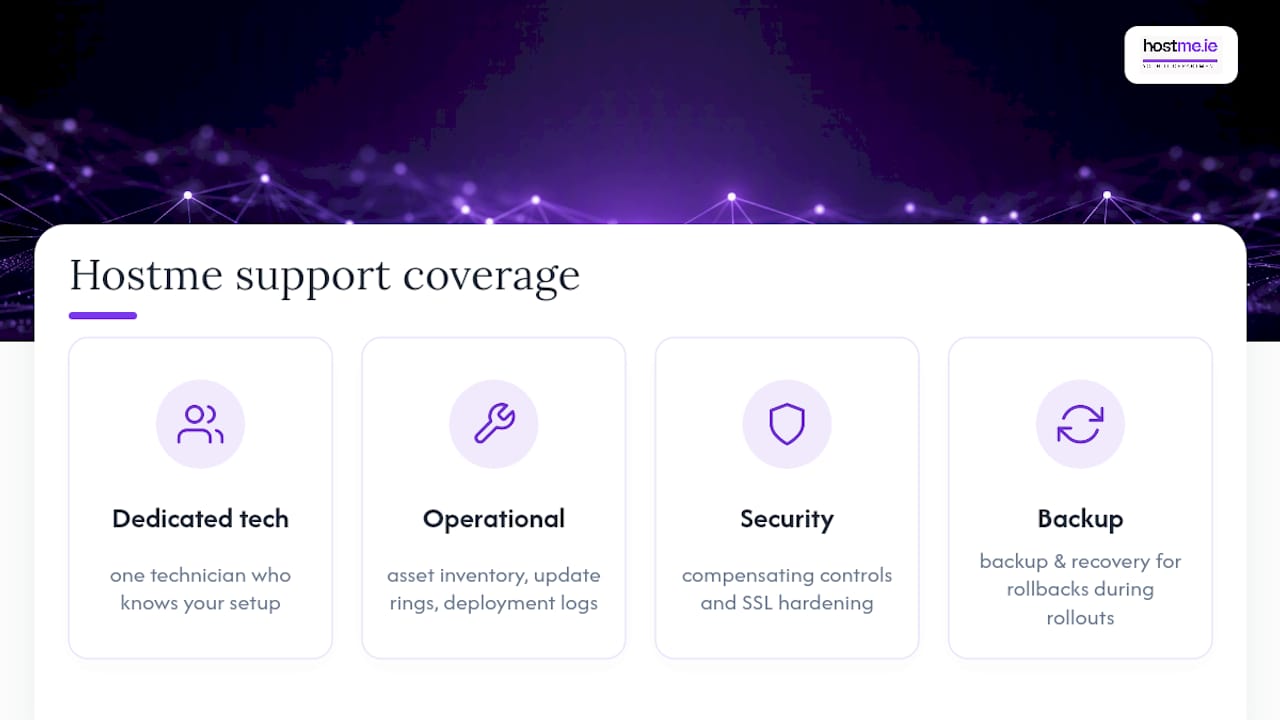
Writing the policy is one job; running it week after week, ring by ring, exception by exception, is another. hostme.ie gives you direct access to one technician who already knows your setup, rather than a ticket queue that starts from zero every time something needs patching. That matters most in the first 90 days, when SLA tuning and rollback testing need someone who remembers what happened last cycle.
hostme.ie’s IT support service covers the operational side of a patch policy, from building the asset inventory to configuring update rings and keeping deployment logs an auditor can actually use. Where the policy calls for compensating controls on an exception, security and SSL support covers the hardening side, and backup and recovery protects you if a rollout ever needs a rollback. For CMS-based sites, pairing your patch policy with Drupal security plugin guidance also covers the application layer.
A specialist vendor may still be the right call for large regulated environments or highly customised line-of-business software; The service is designed for sole traders and small businesses who need this done properly without an in-house security team. Message hostme.ie directly on WhatsApp to talk through where your patching process stands today.
Sources
- Guide to Enterprise Patch Management Planning: Preventive Maintenance for Technology — NIST SP 800-40r4
- Manage Windows update ring policies — Microsoft Intune
- What Is Patch Management? Process, Policy, and Benefits — Palo Alto Networks
- Patch management policy: why you need it, how to implement it and best practices — ManageEngine
FAQ
What are the general guidelines for patch management?
Identify assets through an accurate inventory, group them by risk, apply severity-based SLAs, such as 72 hours for critical issues, and test before broad deployment. NIST SP 800-40r4 frames this as ongoing preventive maintenance rather than a one-off project, tied to your wider vulnerability management programme.
What is a good patch management solution?
A good solution combines a written governance policy with a tool capable of staged rollouts, such as Microsoft Intune’s update rings, plus reliable reporting for audit evidence. For small businesses without a dedicated security team, managed IT support that handles inventory, rings and logging on your behalf is often more practical than an unmanaged tool alone.
What is the best patch management strategy?
The most defensible strategy prioritises patches by combining CVSS severity, active exploitation status and asset criticality, then deploys through a staged ring model rather than pushing updates to every device at once. Keeping the policy document separate from the deployment schedule, as recommended in ManageEngine’s patch policy guidance, keeps that strategy adaptable as threats change.
What are the standard operating procedures for patch management?
Standard procedure runs through identification (vulnerability scanning and vendor advisories), prioritisation against your SLA table, pilot testing, staged deployment, and verification through compliance reporting. Exceptions follow a separate documented workflow with a named owner, a justification and an expiry date, reviewed on a regular cadence rather than left open indefinitely.
How quickly should exceptions to the patch policy be reviewed?
Exceptions should carry a fixed expiry date at creation, typically reviewed monthly for small teams, so a temporary waiver never quietly becomes permanent. Auditors expect to see that review history alongside the original justification and any compensating controls in place.