How to Compare IT Support Quotes for Your Small Business
Got two written IT support quotes? Build one brief, compare scope, hours, backups, licences and first-year cost on the same VAT basis, then send the right questions.

Two IT support quotes only compare fairly if both providers priced the same brief. The quickest way to get there: write one short brief (people, devices, sites, critical systems and the hours you need), check each quote against it line by line, and put the first-year cost of both on the same VAT basis. The cheaper quote is often the one that leaves things out.
This guide is for Irish sole traders and small businesses that already hold two written quotes. It walks through the brief, a side-by-side checklist, the money, and a short example of what to ask when something breaks. It ends with questions you can paste into an email to both providers.
TL;DR
- Write one brief first. If the two quotes were based on different assumptions, the totals cannot be compared.
- Mark every item in each quote as included, extra, or not stated. Treat “not stated” as not covered until the provider confirms in writing.
- Compare first-year cost: recurring charges, setup, licences and likely extras, all with or all without VAT.
- Check backups and restores, service hours, first response, restoration targets, onboarding and handover, not just the monthly figure.
- Agree scope, cost and contract terms in writing before work starts, and keep the exit terms next to the price.
Table of Contents
- Start with one brief both providers can quote against
- The side-by-side checklist
- Compare the money on the same basis
- A worked example: the shared-files outage
- How to judge fit, not just price
- Questions to send to both providers
- Where hostme.ie fits
- FAQ
- Sources
Start with one brief both providers can quote against
Most bad comparisons start here. One provider visited the office and counted laptops. The other priced from a phone call. Their quotes look similar and cover different things.
If you already have two quotes, write the brief now and send it to both providers with one request: “Please confirm your quote matches this brief, and list anything that differs.” It takes about half an hour and is the most useful step in the process.
Keep it to one page. Include:
- People: employees, contractors and part-timers who use your systems, plus anyone who needs a shared mailbox or a login only occasionally.
- Devices: laptops, desktops, phones, tablets, printers, and any server or network storage. Note the age of the oldest ones.
- Sites: each office, shop or yard, and whether people also work from home. Say where on-site visits would be needed, for example Tuam, Claremorris or Galway city.
- Critical systems: email, Microsoft 365 or Google Workspace, your accounts package, your website and domain, any line-of-business software, card terminals and your CRM if you use one.
- Backups today: what is backed up, where, and when you last restored anything.
- Required hours: when you need help (for example Monday to Friday, 9 to 5:30), and whether any weekend or evening work is regular, such as a retail Saturday.
- Known problems and planned changes: slow Wi-Fi, an ageing laptop, a new hire, a move from ISP email to business email in the next 12 months.
If you do not have a list of your subscriptions, a software subscription tracker is a quick way to build one. Licences are the line most often missing from quotes.
If one provider’s quote assumes ten users and yours has fourteen, you do not have two prices to compare. You have one price and one guess.
The side-by-side checklist
Put both quotes in one table. For each row, write what the quote says, not what you think it means. If a quote is silent, write “not stated”.
| Area | What to look for | Provider A | Provider B |
|---|---|---|---|
| Scope | Which users, devices, sites and systems are covered, by name | ||
| Service hours | Days and times support is available; what happens outside them | ||
| First response | What the provider commits to in writing, and how it is measured | ||
| Restoration target | How quickly a service is meant to be back for a serious fault, and for which systems | ||
| Backups | What is backed up, how often, where it is stored, who monitors it | ||
| Restore tests | How often a restore is actually tested and whether you see the result | ||
| Licences | Who buys them, in whose name, and what happens to them if you leave | ||
| Exclusions | Work that costs extra: out-of-hours, projects, migrations, hardware, on-site visits | ||
| Onboarding | What is done in the first weeks and what you need to supply | ||
| Handover | What documents and admin access you receive, now and at the end | ||
| Contract | Term length, notice period, renewal, price changes |
A few of these deserve more explanation.
Scope: names, not adjectives
“Full IT support” tells you nothing. A useful quote says which people, which devices, which cloud platforms and which sites. Then it says what happens when the numbers change.
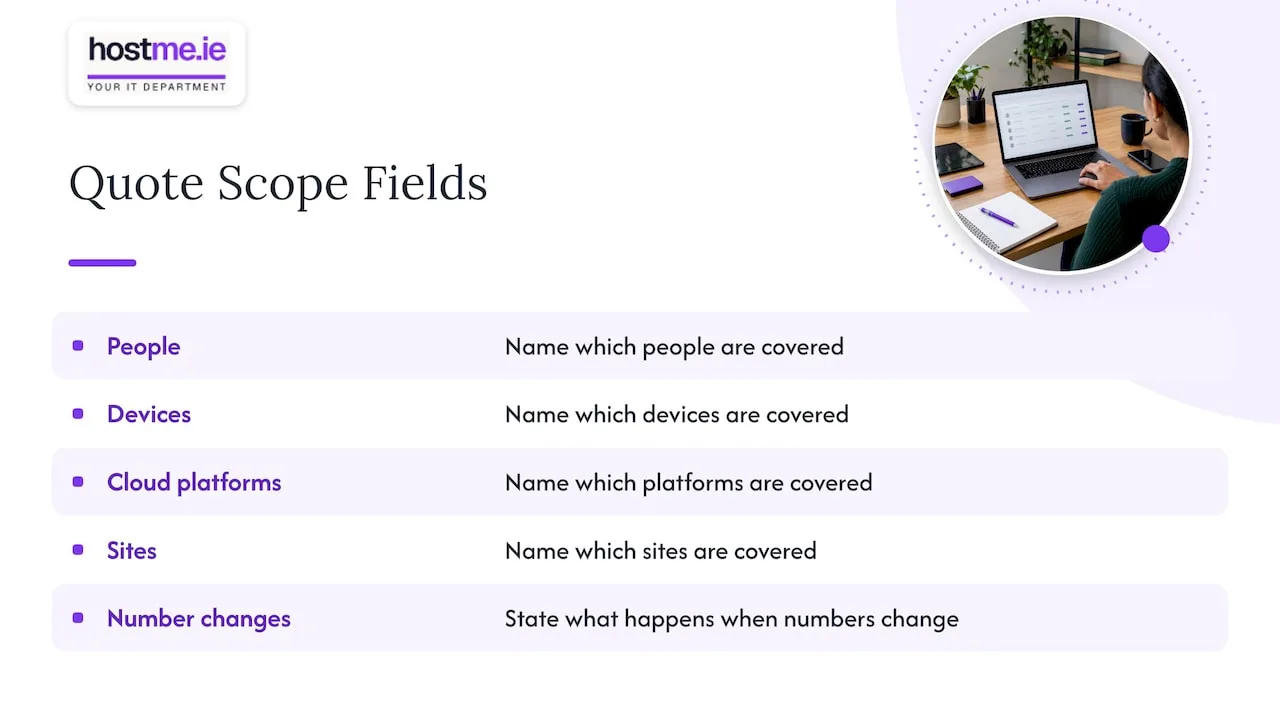
Pricing per user may not cover shared PCs, a server or a firewall. Pricing per device may leave out user help or Microsoft 365 administration, as DreamMSP’s comparison worksheet points out. Ask each provider which of your items sit outside its pricing basis.
Service hours and first response
Check two things: the hours support is available, and what the quote says about the first reply to a problem. A quote that says nothing about either has not made a commitment you can hold anyone to.
Be wary of vague wording such as “prompt” or “as soon as possible”. Ask for the measure: is it a reply, or someone actively working on the fault? And what hours does the clock run in?
Also separate first response from restoration. A fast acknowledgement does not mean your shared drive is back. Ask whether the quote gives any restoration target, for which systems, and what happens when it is missed. Some providers will not give targets for everything. That is fine, as long as you know it before you sign.
Backups and restore tests
A backup that has never been restored is a hope, not a plan. Ask each provider:
- What exactly is backed up? Microsoft 365 mailboxes, OneDrive and SharePoint are not automatically covered by a general backup of your PCs.
- Where do copies go, and who gets an alert when a job fails?
- How often is a restore tested, and do you receive a record of it?
A written test log is easy to ask for. Our backup restore-test log shows the kind of record worth requesting, and our guide to Microsoft 365 backup explains why cloud mail and files need their own cover.
Licences
For each product (Microsoft 365, antivirus, backup, password manager), record who pays for it, whose name the account is in, and who holds the admin login. This matters most when you leave. If the licence sits in the provider’s account, ask in writing what happens to your data and settings at that point.
DreamMSP’s worksheet suggests going further: for each security, backup, identity or email product, note who supplies the licence, who configures it, who monitors it and who responds to alerts. That is a good test of whether a quote is real or just a list of product names.
Exclusions
Exclusions are where a low quote often gets its price. Items commonly sitting outside a standard monthly fee include out-of-hours emergency work, scheduled on-site visits, onboarding and discovery, migrations, other project work and clean-up after a security incident. Novem’s contract guide lists these as typical.
Ask each provider to mark every item in your brief as included, extra (with how it would be charged) or needs clarification. An unanswered item is not a yes.
Onboarding and handover
Onboarding is the first stretch: collecting information, tidying accounts, fixing the worst problems. Ask what it includes, how long it usually takes, and whether it is in the price or charged separately.
Handover is the other end. A good quote says you will have an up-to-date record of your systems, admin access to your own accounts and your domain details. If you ever change provider, that is what makes it painless. Our emergency contact sheet is a simple place to keep the key details.
Compare the money on the same basis
A monthly figure is only part of the cost. Build a first-year total for each quote.
| Cost line | Provider A | Provider B |
|---|---|---|
| Recurring support charge x 12 | ||
| Licences billed by the provider x 12 | ||
| Setup or onboarding fee | ||
| Hardware or software needed to start | ||
| Expected extras (see below) | ||
| First-year total |
Three rules keep this honest.
Use the same VAT basis. Business quotes are often shown excluding VAT, but not always. If you are VAT-registered you can usually reclaim it, so compare ex-VAT. If you are not, compare inc-VAT. Either way, use one basis for both. Revenue explains who can reclaim VAT on its VAT pages.
Add your expected extras. Using your brief, estimate how many times you will probably need work outside the standard fee: a new starter, a laptop replacement, an after-hours call. Ask each provider how those would be charged, and whether they must get your approval before running up a separate charge. Put your own estimate in the table, flagged as an estimate.
Ask what happens when your numbers change. If you hire two people, or add a second site, does the price move per user, per device or not at all? A flat fee that rises sharply at renewal is not cheaper than a higher fee that holds.
Contract terms belong in the cost
The cheapest quote can become the dearest if you are stuck with it. Read the term, the notice period and what happens at renewal.
As an Irish example of how this works in practice, one Irish firm’s published terms renew for 12-month periods unless written notice is given 30 days or more before the term ends, and allow fees to change at renewal on 30 days’ notice. Terms like these are normal in business contracts. They are only a problem if you miss them. Put the notice date in your calendar the day you sign.
Ask both providers:
- Is there a minimum term, and how long?
- How much notice do I give to leave, and how must it be given?
- Can the price change during the term, and with how much notice?
- Is there a charge for handover when I leave?
At hostme.ie, ad-hoc help and separately scoped projects are available, and managed support has an initial 12-month term. We agree scope, cost and contract terms with you before work begins, and we think any provider should put those in writing before you decide.
A worked example: the shared-files outage
This is a hypothetical example, made up to show how to test quotes. It is not a real client or case.
Imagine a six-person Galway bookkeeping practice. On Monday morning at 9:15, nobody can open files on the shared drive. Client work is due on Friday. The owner has two quotes in the drawer. Reading each one against this scenario shows what they say, and what they do not.
Questions to put to each quote:
- Is the shared drive in scope? Is the file storage, whether a cloud service or a small office device, named in the quote? If it is not named, who fixes it, and at what rate?
- Who do I contact, and how? Phone, email, a portal? Is Monday morning within the service hours?
- What does first response mean? Is it an automatic acknowledgement or someone looking at the fault? What does the quote commit to in writing?
- What is the restoration target? Is there one for file access? If not, what does the provider say it will do first?
- Is there a recent backup? What was last backed up, and when? When was a restore of this data last tested?
- Who pays? Is diagnosis included? If it turns out to be a failed disk, is replacement hardware extra? If it is ransomware, is containment included or a separate project?
- Will I be told before charges start? Does the provider need approval for work outside the monthly fee?
- What is recorded afterwards? Will the cause and fix be written down for you?
Provider A’s quote might say “unlimited support” but exclude servers and storage. Provider B’s quote might cost more each month but name the file storage, state its hours, and list the backup test schedule. You would only know by asking these questions. The point of the exercise is not to catch anyone out. It is to find out, before you sign, who does what when it goes wrong.
How to judge fit, not just price
Once the quotes match on scope and cost, fit is what remains. Some things to weigh:
- Plain answers. Did the provider explain things without jargon, and answer your written questions directly? That is how support will feel later.
- Right size. A sole trader with one laptop and a website does not need the same arrangement as a twelve-person office. Check that the quote matches your size and does not bundle things you will never use.
- Systems you actually use. Check the provider supports your real tools, for example Microsoft 365 or Google Workspace, your accounting package and your website hosting, by name.
- A person you can reach. Who will answer you? Will it be the same person or contact each time?
- Data protection. If the provider handles personal data of your customers or staff, GDPR requires a written contract covering what the provider may do with it. The Data Protection Commission explains the required contract terms in its guidance. Ask whether the provider’s terms include them.
- A way out. Check you keep your domain, your admin access and your data if you leave.
If there is a gap in the quotes you cannot close with questions, ask each provider to scope a small first piece of work, such as a review of your backups, before committing to a longer arrangement.
Questions to send to both providers
Copy these into one email and send the same one to both. Ask for answers in writing.
- Does your quote match the attached brief? List any item that differs or is not covered.
- For each system in the brief, is it included, extra (with how it is charged), or needs clarification?
- What are your support hours, and what is the process for urgent problems outside them?
- What do you commit to in writing for first response, and how is it measured?
- Do you give restoration targets? For which systems, and what happens if they are missed?
- What is backed up, how often, where is it stored, and who is alerted if it fails?
- How often do you test a restore, and will I receive a record of the result?
- Which licences do you supply? In whose name are they held, and what happens to them if I leave?
- What is in onboarding, how long does it take, and what do you need from me?
- What documentation and admin access will I have at handover, and at the end of the contract?
- What is the first-year total for my brief, including setup and licences, and is it with or without VAT?
- What typical extras should I expect, and do you get my approval before charging for them?
- What are the term, notice period and renewal terms, and can the price change during the term?
A provider who answers these clearly and in writing has already shown you how it will work with you.
Where hostme.ie fits
If you want a third quote on the same brief, hostme.ie is one person to contact for practical business IT help, with remote support and on-site work where agreed. We support the systems Irish sole traders and small businesses actually use, including Microsoft 365, business email, backups, hosting and domains, and the scope is agreed before work begins. See our IT support service for what we cover, and our guide to how IT support pricing works in Galway for how costs are usually built up.
Send us your brief on WhatsApp and we will tell you what we would scope against it. Phone and email also work if you prefer them.
Our view
A quote is a promise written by someone who has not yet seen your problems. The more specific it is, the more useful it is. We would rather be asked for a named list of what is covered than for a lower number.
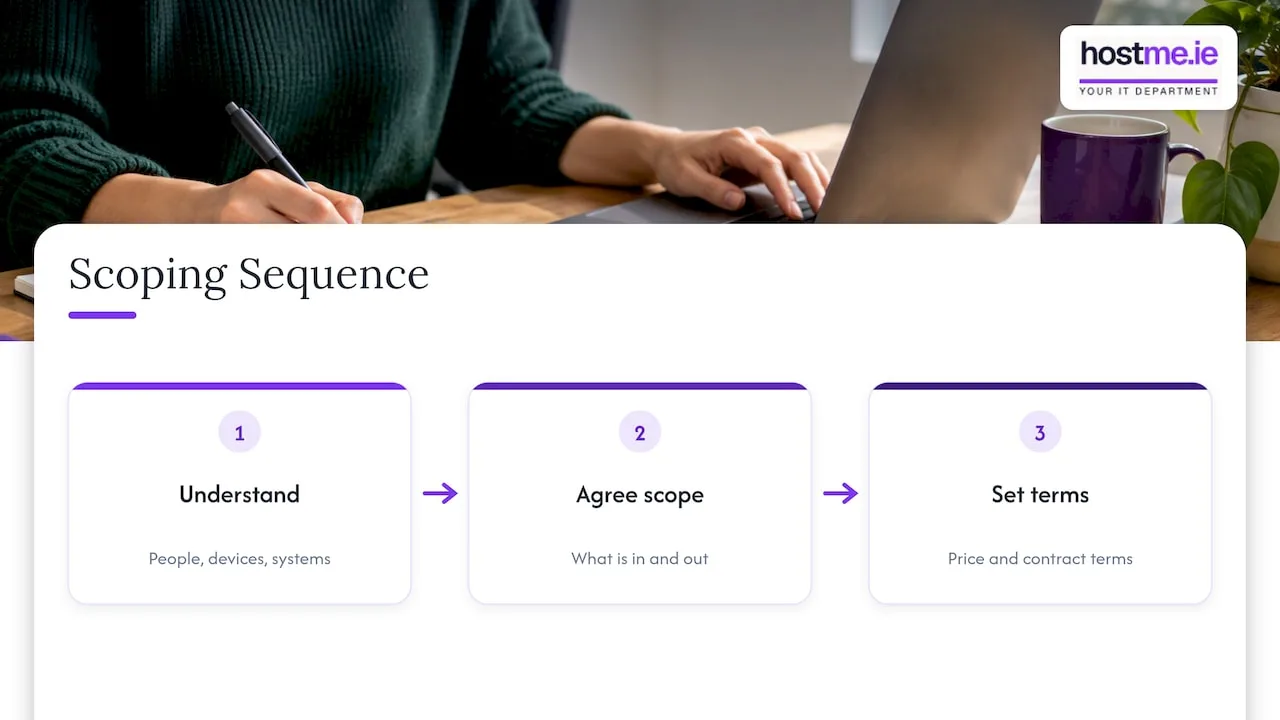
When we scope work, we think the sensible order is: understand the people, devices and systems, agree what is in and what is out, then agree the price and the contract terms. Doing it the other way round leads to surprises for both sides.
For a small business, one person to contact who knows your setup, with scope agreed before work begins, is easier to manage than a long list of services you will never use. That is how we work, and it is what we would look for in any provider.
hostme.ie
FAQ
How many IT support quotes should I get?
Two or three is enough for most small businesses. More than that and the comparison becomes hard to do properly. Give every provider the same written brief so the quotes line up.
Should I just choose the cheapest quote?
Not until you have checked what each one leaves out. Compare first-year totals including setup, licences and expected extras, on the same VAT basis. A lower monthly fee with more exclusions can cost more over the year.
What if one quote is per user and the other per device?
Convert both to a first-year total for your own numbers: your users, your devices and your sites. Then ask each provider what changes in the price if those numbers rise or fall.
Do I need a long contract to get good support?
Not necessarily. Terms vary, so read the minimum term, notice period and renewal terms in each quote. At hostme.ie, ad-hoc help and separately scoped projects are available, and managed support has an initial 12-month term, all agreed before work starts.
Sources
- DreamMSP: How to Compare IT Support Quotes
- Novem: Managed IT Support Contract, What’s Included?
- Core Financial Systems: Terms & Conditions
- Revenue: VAT
- Data Protection Commission: Controller and Processor relationships