Domain transfer guide for Irish businesses
Plan a business domain transfer, check DNS and email dependencies, and use our free editable handover checklist. Practical guidance for Irish businesses.

A registrar transfer changes who manages your domain registration. Your website and email depend on separate hosting and DNS services, which need their own handover plan. Before starting, record account ownership, existing DNS, renewal dates and who can authorise the move. Preparation reduces disruption risk; it does not guarantee uninterrupted service.
TL;DR:
- Transfer timing depends on the domain extension and providers. Confirm their requirements and leave time before renewal to resolve a rejected request.
- Check eligibility and current contact details before changing them, obtain the required authorisation, export DNS and record DNSSEC or registry locks.
- Keeping current nameservers active and matching DNS records before switching reduces website and email downtime during the move.
- Respond promptly to confirmation emails and troubleshoot issues like authorizations, locks, or DNS misconfigurations to avoid transfer stalls or rejections.
- For multiple domains, signed DNS or important email services, agree a separately scoped technical review before making changes.
Table of Contents
- When to transfer and what a registrar transfer actually does
- Pre-transfer checklist: checks to complete before you start
- Step-by-step transfer process: what to do at each stage
- Keeping website and email running during the transfer
- Common mistakes, troubleshooting and what to do if a transfer is blocked
- When a small business should get professional help
- How hostme can help with your domain transfer
- Sources
- FAQ
When to transfer and what a registrar transfer actually does
A domain has three separate jobs, and it helps to know who does what before you touch anything. The registry (for example, .ie for Irish domains) runs the official database of who owns each name. The registrar is the company you pay to manage your registration, renewals and contact details. DNS hosting, often but not always run by the same registrar, controls the nameservers that tell the internet where your website and email actually live.
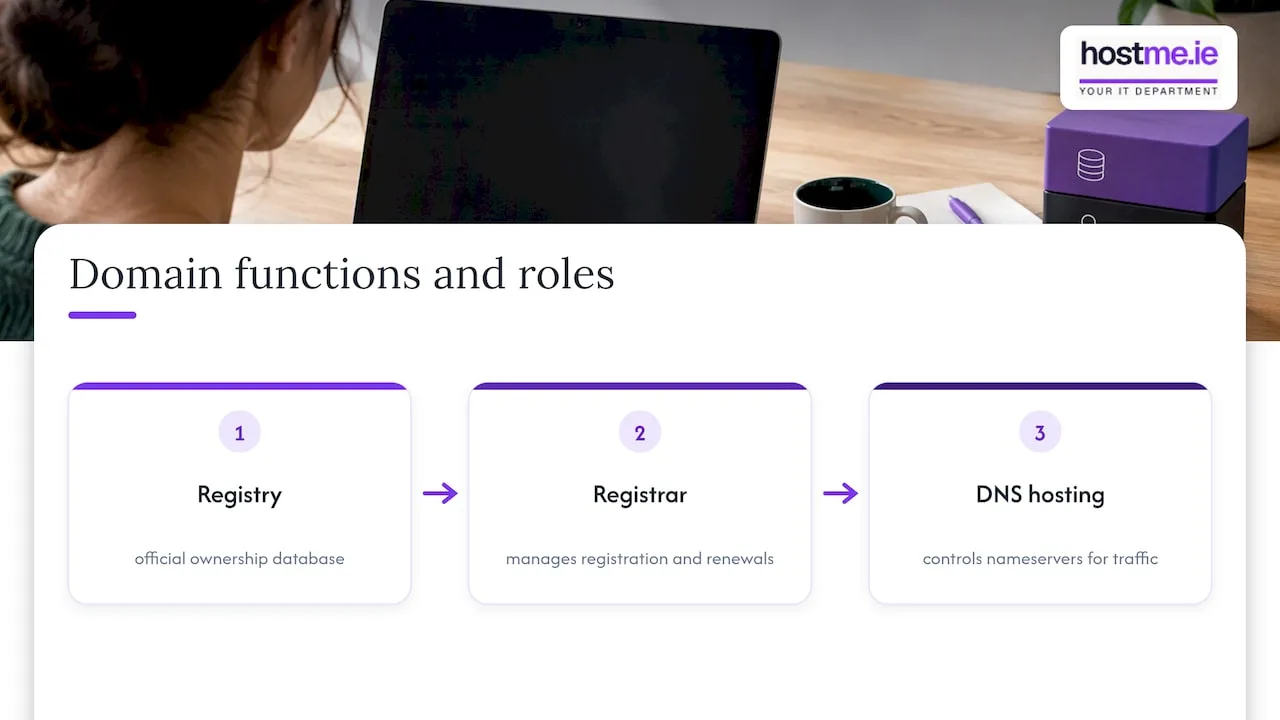
Illustrative AI-generated diagram; the arrows show related roles, not the transfer process.
A registrar transfer changes who manages your registration. It does not automatically move your website files, your hosting account or your email inbox. Businesses usually move registrars for better billing, better support, or to bring several domains under one account instead of juggling logins across providers. None of those reasons require touching your DNS records, and in most cases you shouldn’t need to.
For generic extensions such as .com, ICANN explains transfer restrictions, including 60-day locks after initial registration, a previous transfer or some registrant changes. A contact update can itself trigger a lock. Check before editing. .ie has its own registry process; do not apply generic-extension rules automatically.
.IE describes authcode transfers and its two-hourly zone updates. A zone update is not a promise that every service or resolver updates within two hours. Ask the registrars for the expected timeline for your extension and start before renewal becomes urgent.
Pre-transfer checklist: checks to complete before you start
A rushed transfer is where most problems start. Working through these checks first, in order, will catch the issues that commonly cause delays or rejections.
- Confirm eligibility with the current and receiving registrars for your extension. Check registration, previous-transfer and registrant-change restrictions before altering contacts.
- Confirm the registrant details, account access and contact inbox with your registrar. Verify that transfer messages can reach the authorised person; do not disable privacy protection as a blanket step.
- Follow the registrar’s unlock and authorisation process for the extension. Generic domains may use an EPP/auth code and a transfer lock. For .ie, follow the registry’s authcode guidance. Keep authorisation codes private.
- Record your renewal date. Note when the domain is due to expire so the transfer doesn’t clash with it.
- Export your full DNS zone. Capture every A, AAAA, CNAME, MX, TXT, SPF, DKIM, DMARC and SRV record, along with current TTL values.
- Check for DNSSEC or Registry Lock. Note whether either is active, since both need careful coordination before you move anything.
- Back up your website and email where possible, and write down your current hosting provider and account details.
Once you’ve gathered this, a couple of things are worth double-checking before you submit anything:
- If DNS is also moving, agree the timing with both providers. DNS record TTL controls record caching; lowering it does not lower the parent registry’s nameserver or DS-record TTL.
- Keep a plain-text or spreadsheet copy of every DNS record you export. Screenshots are hard to copy from in a hurry.
Pro Tip: Print or save your DNS export before you unlock the domain, not after. It’s the one document you’ll want if anything looks different once the transfer completes.
Our free editable domain handover checklist gives you a place to record the plan. Its four pages include two blank checklist pages, instructions and a fictional worked example. There is no email signup. Keep passwords, recovery secrets and auth codes out of the document.
Download the free editable domain handover checklist (Word).
Step-by-step transfer process: what to do at each stage
Once your pre-checks are done, the transfer itself is mostly a matter of sequencing and patience. Here’s the order that avoids the most common headaches.
- Agree the DNS approach first. Keeping existing nameservers can separate the registration move from a DNS migration, but first confirm the old DNS service will remain active after transfer. If changing DNS providers, prepare and check the replacement zone before switching.
- Submit through the new registrar. Supply the required authorisation privately and follow its process for your extension. Do not assume every extension uses the same confirmation forms.
- Watch the agreed contact inbox. Check registrar messages and spam folders while the request is in progress. Confirm requests through the registrar’s known account or support channel if a message looks suspicious.
- If a request is rejected, ask for the specific reason. Resolve the stated restriction with both registrars. Use the registry’s route for the extension if normal support cannot resolve it; a registrar-to-registrar dispute process is not a general customer complaint form.
- Verify the completed registration and services. Check the new registrar, renewal arrangements, authoritative DNS, website and mail flow. If DNS also changed, verify the agreed DNSSEC/DS configuration and record TTLs with the providers.
Track the actual request status with the registrars. Do not treat a submitted form or an estimated completion date as proof that the transfer has finished.
Don’t cancel anything at your old registrar until you’ve confirmed the new setup is working end to end. That includes your website loading correctly and test emails sending and receiving without errors. It’s tempting to tidy up loose ends the moment the transfer shows as complete, but give it a proper test first.
Keeping website and email running during the transfer
Keep the existing DNS and dependent services active until the agreed replacement is checked. Confirm with the current provider whether DNS or hosting is bundled with registration and what happens when the registration moves. Record any separate cancellation steps.
If you do plan to change nameservers as part of the move, a few habits reduce the chance of disruption:
- Allow for the existing record, parent nameserver and DS caching periods in the migration plan. A lower record TTL alone does not make a nameserver change immediate.
- For hosted email through Microsoft 365 or Google Workspace, double-check your MX, SPF, DKIM and DMARC records match exactly at the new host, then send test emails in both directions before relying on it.
- Coordinate DNSSEC signing and parent DS records before changing nameservers. Stale DS records can cause validation failures. Follow the providers’ DNSSEC migration procedure, including the relevant cache expiry and verification; do not turn signing off without that plan.
- Keep a written rollback plan: which nameservers to revert to, who has access to make that change, and how quickly it can happen if something breaks.
Pro Tip: Test your mail flow with a message sent from an external address, not just internally. Internal mail can sometimes work even when external delivery is broken.
If you need help checking email records or planning the move, discuss a separately scoped business email project. Agree access, deliverables and cost before work starts.
Common mistakes, troubleshooting and what to do if a transfer is blocked
Most failed or stuck transfers come down to a handful of causes:
- A registry status or eligibility restriction needs resolving. Expiration alone is not always a transfer bar; a generic domain in redemption normally needs restoring first. Ask the registrar to identify the actual status.
- The clientTransferProhibited status is still set at the losing registrar.
- The admin contact email on file is outdated, so confirmation messages never arrive.
- Transfer messages are not reaching the authorised contact. Ask the registrar to check delivery and its confirmation process.
- DNSSEC wasn’t coordinated between registrars, causing validation errors after the move.
Start troubleshooting by checking your WHOIS contact details, confirming your auth code is still valid, checking the domain’s lock status, and searching your inbox (and spam) for registrar emails you might have missed. For .ie domains specifically, remember the registry’s zone updates run on its own schedule, so allow for that when judging whether a change has actually taken effect, per .IE’s guidance.
For an unresolved generic-domain transfer problem, consult ICANN’s registrant transfer guidance and complaint route. For .ie, contact the registrars and .IE about its own process. For email disruption, check the authoritative DNS, email-provider status and authentication records against the export.
When a small business should get professional help
Most single-domain transfers are manageable without outside help if you follow the checks in order and don’t rush the DNS side. Where it’s worth bringing someone in is when you’re moving several domains at once, running DNSSEC, or depending on continuous Microsoft 365 mailflow that can’t afford a mistake.
A scoped project can include an ownership/access review, DNS export, provider coordination and agreed service checks. Record the rollback options and their dependencies; do not assume a registrar transfer can be reversed immediately.
If you’re working through this yourself but want a second pair of eyes, hostme’s handover checklist is worth filling in regardless. Send the completed document to whoever’s helping you, whether that’s an internal colleague or an outside technician, and it gives them everything they need to see your setup at a glance rather than starting from scratch.
How hostme can help with your domain transfer
hostme.ie helps businesses and sole traders with domain transfers, DNS configuration, business email and hosting. Describe the current providers and the change you want; scope, access and cost are agreed before work starts.
Use the four-page editable Word checklist to record domain ownership, providers, DNS and the handover plan. It includes two blank checklist pages, instructions and a fictional example. Record who holds the authorisation code, rather than the code itself. The file is free and ungated; technical review or implementation is separately scoped paid work.
If you’d like a technician to check your setup or run the transfer for you, get in touch through hostme’s domain services page, where you’ll also find a direct WhatsApp contact for quick questions.
Sources
Use the official sources below for extension-specific transfer rules, authorisation and DNS migration checks. Confirm your own providers’ current process before changing a live domain.
- Inter-Registrar Transfer Information — ICANN
- Authcode Archives – .ie
- DNS record TTL — Cloudflare documentation; DNSSEC and changing nameservers — Cloudflare documentation
FAQ
How do I transfer a domain to a new owner?
Changing ownership (the registrant) is a separate process from a registrar transfer, and it’s usually done through a registrant transfer or contact update at your current registrar rather than by moving providers. Check your registrar’s own process for this, since it typically doesn’t require an auth code the way a registrar transfer does.
Which domain registrar is the best choice for my business?
There’s no single best registrar for every business. It depends on the extensions you need, the support you want, and whether you’d rather manage DNS yourself or have someone else handle it, so it’s worth comparing what each registrar actually includes before deciding.
Do I have to wait 60 days to transfer a domain?
For generic extensions such as .com, restrictions can follow registration, a previous transfer or a registrant change. Check the exact case before updating contacts. .ie uses its own rules; ask the registrars to confirm eligibility.
Will I lose my email if I transfer my domain?
A registration transfer does not move your inbox. Email can still be disrupted if bundled DNS or hosting stops, records change, the domain lapses or DNSSEC is mishandled. Confirm dependencies and test the agreed setup; uninterrupted mail is not guaranteed.
What should I do if my transfer fails or gets rejected?
Ask the registrars for the exact rejection reason, resolve that restriction and check the registry’s guidance for your extension. ICANN’s registrant guidance explains its complaint route for generic-domain transfer problems; .ie has a separate process.