Your support number is in your email. Your email is down.
Prepare an IT emergency contact sheet with verified support routes, responsible owners and agreed first actions. Free Excel template with worked examples.

When a service stops working, knowing where its support details are stored matters. The free IT emergency contact sheet helps put verified contacts, responsibilities and agreed first actions somewhere the team can still reach.
Get the free IT emergency contact sheet
Editable Excel workbook with a 20-row worksheet, fictional examples and instructions. No email signup.
Download the Excel workbook · See it in the downloads library
Start with a service your team relies on
The template includes suggested rows for internet unavailable, email unavailable and a lost business device. For each, record the provider or responsible role, a primary contact and an alternative route. Use current contract details or a provider's verified support channel. The sample addresses ending in example.invalid are deliberately fictional and must be replaced.
Make the alternative genuinely usable
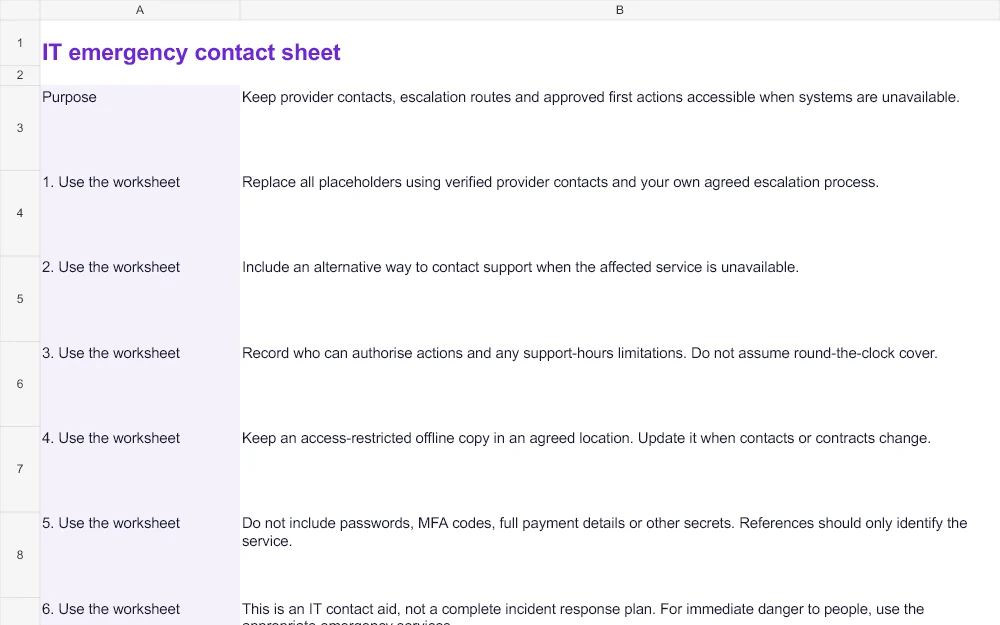
If the primary route depends on the affected system, agree another way to reach the right person. Record who can authorise action and what support hours or limitations apply. Do not assume that a listed number means round-the-clock cover. A contact list is only useful if the people relying on it understand those boundaries.
Agree the first action with your IT owner
Use the worksheet to record an approved first step, rather than improvising technical recovery instructions during an outage. The fictional lost-laptop entry asks for the device reference and last known location through the agreed route; the authorised IT owner decides containment actions. The sheet itself does not grant permission to change systems.
Keep a controlled offline copy
Store an access-restricted offline copy in an agreed place and review it when contacts or contracts change. Add a last-checked date and a next review. Do not include passwords, MFA codes or full payment details. This is an IT contact aid, not a complete incident-response plan or a replacement for emergency services where people are in danger.
Use the restore-test log for planned recovery checks.
Need help applying this to your business? Talk to hostme.ie on WhatsApp.