Who has the spare laptop? Start an IT inventory
Track business laptops, assigned users, locations and warranty dates with our free Excel IT inventory. Includes a worked example and clear instructions.

The spare laptop exists. Someone used it recently. Its charger is probably somewhere sensible. If that sounds like the start of a search rather than an answer, it is a good place to begin an equipment list.
Get the free Business IT inventory
Editable Excel workbook with a 20-row worksheet, fictional examples and instructions. No email signup.
Download the Excel workbook · See it in the downloads library
Start with one device, not the whole office
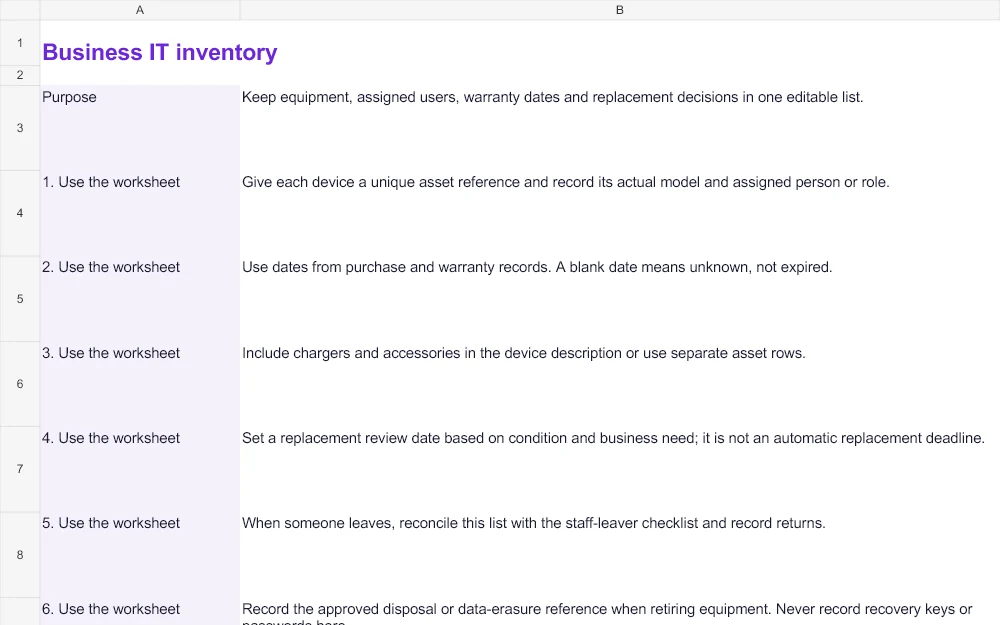
Open the free workbook and go to the Worksheet tab. Give the laptop a unique asset reference, then record its actual model, assigned person or role and location. Include the charger in the description, or give accessories their own rows when you need to track them separately. The aim is to leave the next person with an answer they can act on.
Use records for dates and a decision for replacement
Copy purchase and warranty dates from the relevant records. Leave an unknown date blank and assign someone to check it; a blank is not evidence that a warranty has expired. The replacement review date is your next decision point, not an automatic instruction to buy another computer. Record the condition and next action alongside it.
Follow the example without copying its facts
The Example tab contains two invented laptops: one assigned to an office coordinator and one spare awaiting a charger and battery check. They demonstrate how an owner and action make the list useful. Replace those details with your own verified records in the separate Worksheet tab.
Keep it useful after the first tidy-up
Review the entry when a device is issued, returned, repaired or retired. Reconcile returns with your staff-leaver process. The workbook has 20 working rows and instructions for extending the range. Do not record device passwords or recovery keys in it.
Use the staff-leaver checklist when equipment comes back.
Need help applying this to your business? Talk to hostme.ie on WhatsApp.